
Every modern evergreen browser handles canvas compositing well enough for a furniture room-preview widget: Chrome, Edge and Firefox on desktop, Safari on macOS and iOS, and Chrome on Android. The real risks aren't compatibility gaps but three practical limits: mobile memory constraints on older phones, patchy HEIC decoding outside Safari, and hard canvas pixel caps around the common maximum canvas size supported by most browsers. Get those three right and browser support stops being a support ticket problem.
TL;DR:
- Modern browsers handle canvas compositing effectively, but developers must account for limits on maximum canvas size and device memory, especially on mobile devices.
- Support for HEIC images is inconsistent; Safari decodes HEIC natively, while Chrome and Firefox typically require additional decoding steps or conversion.
- Downscaling large images before compositing and using Web Workers with OffscreenCanvas help prevent crashes and improve responsiveness on mobile devices.
- Testing should include real devices and awkwardly chosen test images like large DSLR JPEGs and HEIC files to accurately identify compatibility issues.
- An evergreen browser baseline with functional fallbacks offers a practical support policy, avoiding effort spent on outdated browsers like IE11.
Table of Contents
- Which browsers and image formats does canvas support actually cover?
- What are the canvas size and memory limits you need to plan around?
- How should you handle shopper photo uploads and formats?
- What's the right way to test canvas compatibility before launch?
- Integration checklist for launching the widget
- A pragmatic take on how far browser support should stretch
- Try the widget on your own product pages
- Sources
- FAQ
Which browsers and image formats does canvas support actually cover?
Canvas compositing has been part of the web platform for well over a decade, so the question for a product-page widget isn't "does the browser support canvas" but "how recent does the browser need to be, and what image formats can it decode without a server round trip." That's a different problem, and it's the one that actually breaks furniture previews
For desktop, treat the last two major releases of Chrome, Edge and Firefox as your comfortable baseline. Safari on macOS needs slightly more caution: support the current version plus one previous release, since Apple ships fewer point releases and enterprise users lag behind on updates more than Chrome users do. Mobile is narrower by design. iOS browsers, including Chrome and Firefox for iOS, all run on WebKit under the hood, so testing "Safari" effectively tests every iOS browser at once. On Android, Chrome is the practical target, and in-app webviews inside Instagram, Facebook or Pinterest deserve separate testing because they can lag behind the standalone browser by a version or two.
Image formats are where things get uneven:
- JPEG and PNG decode reliably everywhere, no exceptions.
- WebP now has wide support across evergreen browsers and is the sensible default for anything needing alpha transparency at a smaller file size.
- HEIC is the outlier. Safari decodes it natively because Apple controls both ends, but Chrome and Firefox generally can't decode HEIC without an explicit decoder or a conversion step, a pattern documented by developers who've built browser-based image tools without a single server upload.
For alpha channels specifically, use WebP lossless where the browser supports it and fall back to PNG when it doesn't. Never assume HEIC "just works" because it opened fine on someone's iPhone during a demo.
What are the canvas size and memory limits you need to plan around?
Every browser enforces a maximum canvas dimension, and the figure developers repeatedly bump into is around the common maximum canvas size supported by most browsers, documented in the Alpha-Compose project's notes on Fabric.js-based compositing. Exceed it, even accidentally through a multiplier applied to an already-large source image, and the canvas either throws silently or renders blank. That's a support ticket that looks like "the widget doesn't work" but is actually a dimension you never checked.
Memory pressure is the more common failure on mobile, though, especially on mid-range Android devices with 3 to 4GB of RAM running several other tabs. A 12-megapixel room photo composited with a full-resolution furniture cutout can consume enough memory to trigger a tab crash on a phone that would handle the same task fine on desktop.
Pro Tip: Downscale the shopper's uploaded photo to a working resolution, roughly 2000 to 2500 pixels on the long edge, before you touch the canvas at all. Reserve the full-resolution version only for the final exported image, and generate that export on a device you've confirmed can handle it.
Practical mitigations worth building in from day one:
- Downscale before compositing rather than after; never composite at native resolution "just in case."
- Use OffscreenCanvas with a dedicated Web Worker to keep decode and composite work off the main thread, falling back to
createImageBitmapplus a worker-friendly protocol where OffscreenCanvas isn't available. - Reserve WebAssembly for genuinely CPU-heavy operations, like custom blend modes, rather than routine resizing.
- Watch for symptoms like a frozen "Generating preview…" spinner (main thread blocked), a silent blank canvas (dimension cap exceeded), or a crashed tab (memory exhaustion) and map each to its fix before shipping.
How should you handle shopper photo uploads and formats?
Shoppers upload whatever their phone produces, and increasingly that means HEIC straight off an iPhone camera roll, alongside the occasional 20-megapixel DSLR export from someone shopping on a laptop. A workflow that only expects tidy JPEGs will fail on a meaningful share of real uploads.
- Detect the file type on selection, before any decode attempt, so you can branch logic immediately rather than discovering a problem mid-render.
- Attempt client-side HEIC decoding where the browser allows it; where it doesn't, prompt the shopper to select a different photo or route the file to a server-side decode step rather than failing silently.
- Decode and resize inside a Web Worker using
createImageBitmap, keeping the main thread free so the interface stays responsive while a large file processes. - Prefer WebP lossless for any image needing transparency, falling back to PNG or JPEG depending on whether alpha matters for that particular asset.
- Show a fast low-resolution preview first, then swap in the high-resolution composite once it's ready. Developers building browser-only image tools at scale consistently favour this progressive approach because it makes the widget feel instant even when the underlying work takes a second or two.
Centralising this decode logic in one shared function, rather than duplicating it per integration, also pays off if you ever need to patch a HEIC edge case across multiple storefronts at once.
What's the right way to test canvas compatibility before launch?
A test matrix built entirely on your own laptop will miss almost everything that actually breaks in production. Build your matrix around the combinations that matter: Chrome and Edge on Windows, Safari and Chrome on macOS, Safari on a real iPhone, Chrome on a mid-range Android device, and at least one in-app webview from a social platform your traffic actually comes from.
Feed that matrix a deliberately awkward set of test images rather than clean stock photos:
- A HEIC file taken directly on a physical iPhone, since simulator-generated images often carry different metadata and can mask decoding issues that show up in the real world.
- A large, unedited DSLR JPEG in the 15 to 25 megapixel range.
- A PNG and a WebP file, each with genuine alpha transparency.
- A deliberately low-quality, heavily compressed image to see how the decoder handles noise.
Pro Tip: Pair real-device testing with CPU and network throttling in your browser's dev tools, and wire up error telemetry through a tool like Sentry so out-of-memory crashes and long main-thread frames get logged automatically rather than reported secondhand by a confused shopper.
When something does fail, capture a heap snapshot and the worker's message trace at the point of failure. That's usually enough to tell you whether you're looking at a memory ceiling, a dimension cap, or a decode failure.
Integration checklist for launching the widget
Rolling the widget out across a storefront comes down to a short, repeatable sequence regardless of platform.
- Confirm the platform integration path for Shopify, Magento, BigCommerce, WooCommerce or a custom storefront before writing any custom code.
- Run feature detection before initialising the widget: check for
createImageBitmap, Web Worker support, OffscreenCanvas, and a rough device memory heuristic. - Wire up telemetry for failed previews so you catch decode and memory failures in production, not from a customer email.
- Build a server-side fallback for shoppers whose browser can't decode HEIC or whose device fails the memory check, rather than leaving them with a dead button.
- Track preview volume against your plan's limits so overage billing doesn't surprise anyone at the end of the month.
Aifurniture's own widget follows this pattern in practice: a shopper uploads a room photo, and the retailer's product is composited into it in around 30 seconds, using existing product JPEGs rather than 3D models. The free tier includes a limited number of previews, enough to validate the entire pipeline above on your own traffic before committing to a paid plan.
A pragmatic take on how far browser support should stretch
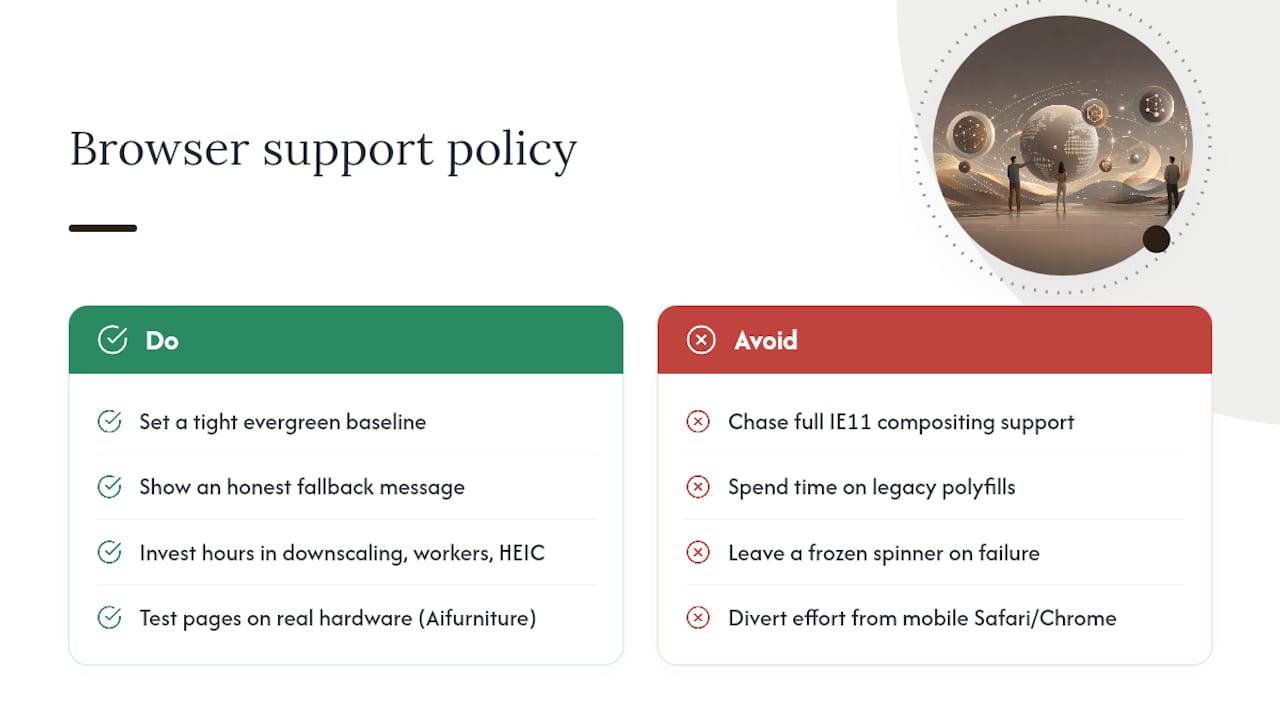
Chasing perfect legacy coverage on a compositing widget is a waste of engineering time. Older engines like IE11 need polyfills for basics that modern browsers handle natively, a limitation documented in open-source image manipulation libraries that still get asked to support it. Nobody buying a sofa online in 2026 is doing it on IE11, and chasing that audience means diverting effort away from the mobile Safari and Chrome experience that actually drives conversions.
The right policy is a tight evergreen baseline with a graceful, honest fallback for anyone outside it: a static "see it in your room isn't available on this browser" message beats a frozen spinner every time. Spend the saved engineering hours on downscaling, worker offloading and HEIC handling instead, because that's where real shoppers actually hit friction. If you want to see where your own product pages land on this baseline, run them through Aifurniture's demo and watch what happens on your own hardware, not a spec sheet.
— Michael
Try the widget on your own product pages
Aifurniture skips the two biggest friction points in room-preview technology: no app for the shopper to download, and no 3D model for you to commission. You upload the product photos you already have, a shopper uploads a room photo, and the composite appears in roughly 30 seconds, built entirely on the browser compatibility approach covered above.
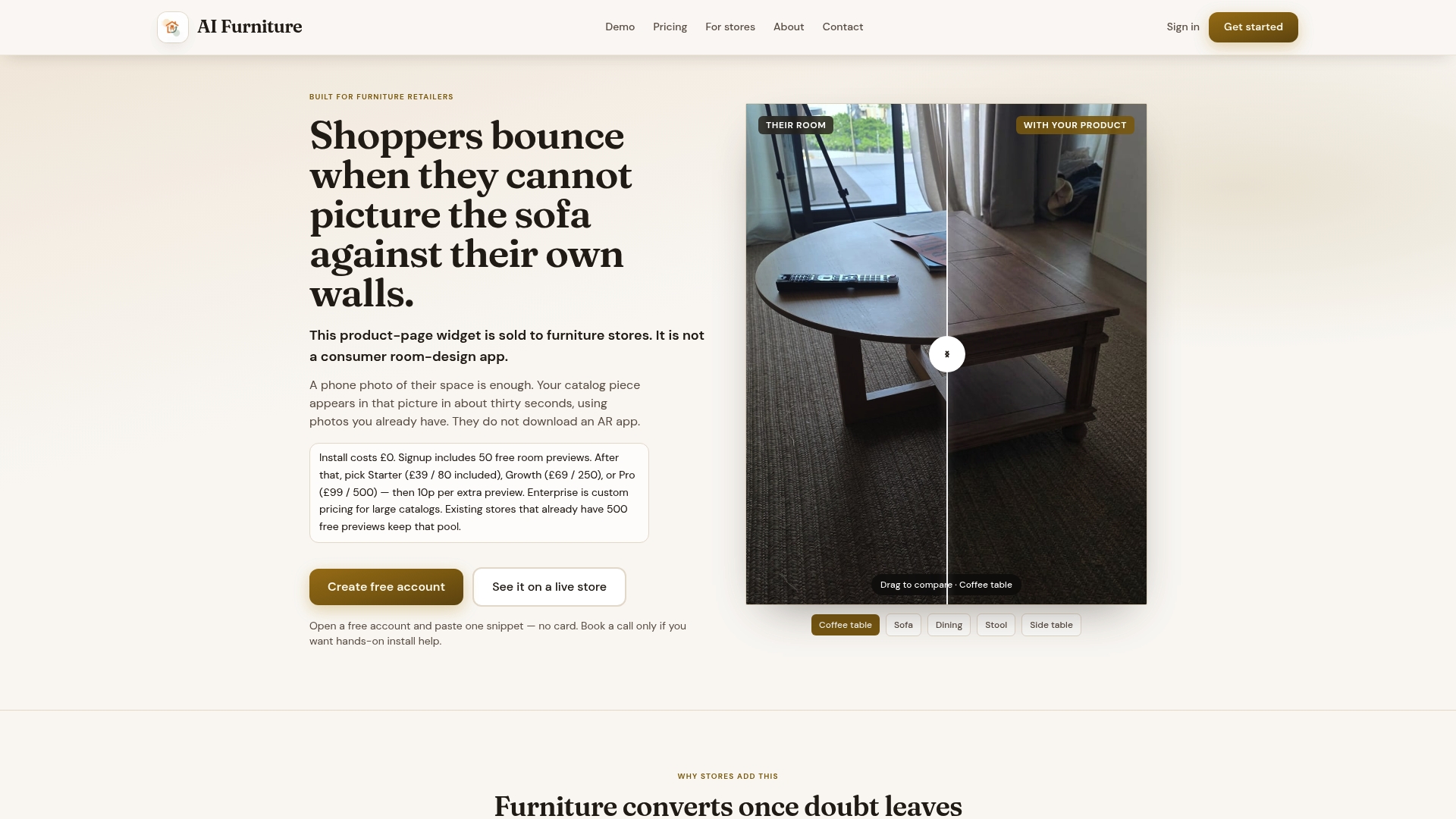
The free tier gives you a limited number of previews to test the full pipeline against real shopper uploads, including the HEIC and large-file edge cases that matter most. From there, the Starter plan runs $52.56 a month, Growth sits at $92.99, and Pro at $133.42, each covering a set volume of previews with metered overage at 10p per extra preview beyond the plan. Setup costs nothing regardless of tier. If you'd rather see it running on your own catalogue before deciding anything, run the widget on your own product URL or book a launch call to walk through integration with Shopify, Magento, BigCommerce, WooCommerce or a custom storefront.
Sources
For teams building or auditing a canvas-based preview widget, a few resources are worth bookmarking alongside your own test matrix:
FAQ
Which browsers does the room-preview widget support?
The widget targets evergreen browsers: Chrome, Edge and Firefox on desktop, Safari on macOS and iOS, and Chrome on Android, with in-app webviews tested separately where relevant. Older browsers like Internet Explorer 11 aren't part of the practical support policy, since they need polyfills that modern canvas features don't require elsewhere.
Does canvas support include HEIC photos from iPhones?
Safari decodes HEIC natively, but Chrome and Firefox generally can't without an explicit decoder, a gap confirmed by developers working on browser-based image processing. A well-built widget detects this and either converts the file client-side or falls back to server-side decoding rather than failing outright.
What is the maximum canvas size a browser will render?
Most browsers cap canvas dimensions around the common maximum canvas size supported by most browsers, a limit documented in the Alpha-Compose project's implementation notes. Exceeding it without checking first causes a blank render, so downscaling the source image before compositing avoids the problem entirely.
How much does the Aifurniture widget cost to trial?
The free tier includes a limited number of room previews with no setup fee, enough to test the pipeline against real shopper photos before paying anything. After that, plans start at $52.56 a month for Starter, with Growth and Pro tiers available for higher volume.
Do I need Web Workers to keep the widget responsive?
Web Workers, ideally paired with OffscreenCanvas, keep decode and composite work off the main thread so the interface doesn't freeze during processing. This matters most on mid-range mobile devices, where a blocked main thread is the most common cause of a widget appearing to hang.