
On receipt of a request to delete uploaded room photos: log it, verify the requester's identity, delete the image from every system that holds it (storage, CDN, previews, backups, third-party tools), then confirm the deletion to the customer in writing. That sequence, done properly, is the whole job. Everything else in this guide is about doing each step without missing a system or breaking a legal obligation.
TL;DR:
- Deletion must involve removing the image from storage, CDN caches, backups, and third-party tools, with confirmation sent after each system reports success.
- Verification should be tailored to the requester's classification, requiring light proof for guests and stronger checks for account holders to prevent unauthorized deletions.
- Most deletions fail silently because images often reside in multiple places like cached copies, derivatives, backups, or third-party integrations, requiring comprehensive removal.
- Automating deletion workflows across platforms such as Shopify or Magento is essential to minimize missed steps, with system verification ensuring deletion actually occurred.
- Legal retention exceptions are narrow, including active orders or legal holds, and must be documented clearly, with proper escalation for cross-border or ambiguous cases.
Table of Contents
- Quick checklist for handling a delete user photos request
- The full workflow: intake, verification, locating, deletion, and audit
- Getting the technical implementation right
- When can you legally keep the photo instead of deleting it?
- How automation and integrations reduce deletion risk
- What actually matters when resources are tight
- See how Aifurniture supports clean, auditable preview data
- Sources
- FAQ
Quick checklist for handling a delete user photos request
Frontline staff need something they can follow without reading a policy document first. Use this sequence for every request that lands in your inbox, form, or account portal:
- Log it immediately. Capture the channel, timestamp, and any identifiers: email address, order number, or account ID.
- Classify the request. Note the customer's jurisdiction and whether they're a guest or a registered account holder, since verification and legal obligations differ.
- Verify identity. Guest opt-outs need only light verification (matching email to the upload record). Account-linked requests need stronger checks, such as confirming login access.
- Check for blockers. Look for open orders, active subscriptions, or legal holds tied to that customer. Escalate to a supervisor if any exist.
- Execute the deletion. Delete the image and purge the CDN cache, then confirm each connected system reports success.
- Send confirmation. Use a templated message summarising exactly what was deleted and when.
Informal requests still count. A message that says "please remove the photo I uploaded, it's on the sofa page" carries the same weight as a formal privacy-form submission, and DSAR workflow guidance for ecommerce brands treats loosely worded requests as valid triggers, not something to dismiss on a technicality.
Pro Tip: Build a one-line internal shorthand for your team, like "delete + confirm within 48 hours", and pin it above the support queue. Staff under pressure skip steps when the process lives only in a policy PDF nobody reads twice.
The full workflow: intake, verification, locating, deletion, and audit
Six people can touch a single deletion request before it's done: support, privacy, engineering, and sometimes legal. Mapping the handoffs prevents the request from stalling between teams.
Intake. Accept requests through a privacy web form, a monitored privacy@ inbox, or the customer's account portal. Whichever channel it arrives through, log it the same way every time. Bemeir's guide to GDPR and CCPA compliance stresses that a retailer needs a published, consistent method for consumers to submit these requests, not an ad hoc mix of methods that different teams handle differently.
Verification. Calibrate the check to the risk. A guest who uploaded a photo without creating an account needs a lighter check than someone requesting deletion from a full account with order history. Over-collecting personal data during verification (asking for a copy of a passport to delete a sofa photo, for instance) creates its own privacy problem.
Locating. This is where most deletions fail quietly. The image lives in more places than the obvious one:
- The original upload in object storage
- Cached copies on the CDN
- Composited preview images (the furniture superimposed on the room photo)
- Thumbnails generated for account history or support tickets
- Backups and analytics snapshots
- Any third-party tool the image was piped into (helpdesk attachments, marketing platforms)
Deletion. Delete the object, invalidate every CDN key tied to it, and remove derivative files and metadata entries in your preview records.
Audit. Log a timestamp for each system touched and which operator or automated job performed the action. DSAR automation guidance for ecommerce treats this audit trail, not just the deletion itself, as the part regulators actually inspect.
Customer communication. Tell the customer plainly what was deleted and when. If part of the image was retained for a documented legal reason, say so, rather than sending a vague "your request has been processed" line.
Getting the technical implementation right
Engineering teams building or maintaining a room-preview pipeline need deletion to be reliable and testable, not a manual scramble through folders.
Start with direct signed uploads to object storage rather than routing files through an application server first. This keeps a clean, traceable link between the uploaded file and the customer who uploaded it, which is exactly what image hosting system design principles recommend for any pipeline that needs to locate and remove files reliably later.

Store a minimal mapping table: image ID, customer ID, and any preview records generated from that image. Don't duplicate customer data into that table beyond what's needed to locate the file.
On deletion, three things need to happen together:
- Remove the original object from storage
- Invalidate the CDN cache by key, including every derivative variant (thumbnails, resized copies)
- Delete the composited preview artefact the room-preview pipeline generated, since that composite is itself a stored image containing the customer's room
Decide upfront whether you're running a soft-delete (flagged and hidden for a short retention window) or a hard-delete (immediate, unrecoverable erasure), and set your backup wipe schedule to match. A soft-delete that never gets swept from backups isn't a deletion; it's a delay.
Pro Tip: Build an automated verification test into your deletion job: after every deletion, have the system attempt to fetch the image by its original key and confirm it returns a failure. If it doesn't fail, the deletion didn't actually work.
Designing object IDs and cache keys so one deletion call maps deterministically to every CDN variant and preview derivative avoids the most common failure mode: a deletion that removes the original but leaves a cached composite live for days.
When can you legally keep the photo instead of deleting it?
The default position is straightforward: delete unless a specific lawful reason says otherwise. Under GDPR and CCPA-style frameworks, this deletion right is sometimes called the "right to be forgotten" or "right to delete", and the exceptions that override it are narrow, not a general excuse to hold onto data.
Common exceptions worth documenting:
- An open order or delivery still in progress that references the uploaded room photo
- An active warranty or returns case where the image is evidence
- A fraud investigation involving that customer's account
- A tax or legal hold requiring records to be preserved for a set period
When one applies, record the legal basis in the audit trail and explain it to the customer in the confirmation message rather than staying silent about the partial retention. Your privacy policy should state retention periods for each data category up front, and your engineering retention settings need to actually match what the policy promises. If a cross-border request or an ambiguous legal hold comes up, escalate to legal rather than guessing.
How automation and integrations reduce deletion risk
Manual deletion across five or six systems invites missed steps. Automation reduces that burden precisely because an ecommerce stack usually spans more third-party tools than any one person tracks from memory: the storefront platform, the CDN, a helpdesk, an email service provider, and often a customer data platform.
Prioritise native connectors for the platforms you actually run on: Shopify, Magento, BigCommerce, WooCommerce, plus your helpdesk and ESP. A tool worth adopting should execute deletion calls across all of those systems from one action and produce a timestamped confirmation for each.
Aifurniture's room-preview widget is a useful reference point here: it generates composited previews directly from a retailer's existing JPEGs, completes each preview in roughly 30 seconds, and logs usage through a dashboard, so any preview image tied to a deletion request has a traceable record rather than a mystery file sitting in a folder somewhere.
Before signing with any vendor touching customer images, ask for:
- A sample audit log showing timestamped deletion entries
- A documented list of connectors covering your actual platform stack
- A live demo deletion run you can watch end to end
Where no API connector exists for a given tool, fall back to a documented manual process, logged with the same rigour as the automated one.
What actually matters when resources are tight
Most retailers can't build a perfect deletion pipeline on day one, so priorities matter. Get the straightforward requests fully deleted and properly logged before you spend engineering time on edge cases. A customer who asked to delete one uploaded photo doesn't care how elegant your backup-wipe schedule is; they care whether the confirmation email arrives within a day or two.
Where conflicts exist, document the exception clearly rather than quietly keeping the file and hoping nobody asks again. Engineering time is best spent first on mapping exactly where images live, because a fast, incomplete deletion process is worse than a slower, complete one.
— Michael
See how Aifurniture supports clean, auditable preview data
If your room-preview tool generates images that then need reliable deletion, the pipeline that created them matters as much as the deletion process itself. Aifurniture composites furniture onto a customer's uploaded room photo using their existing product JPEGs, no app download or 3D model required, so previews complete in around 30 seconds and every upload is tracked through a usage dashboard your team can audit.
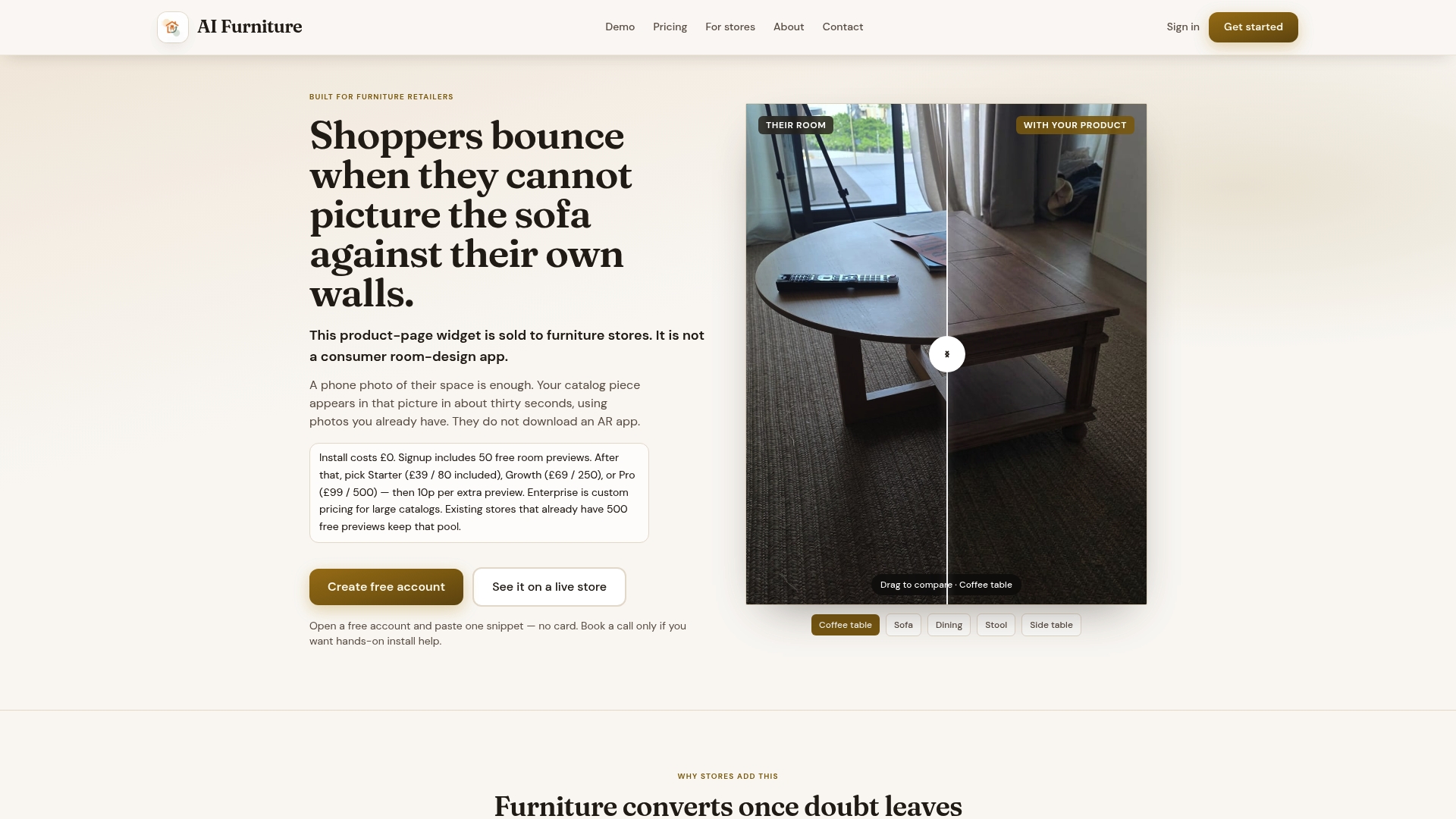
New retailers can trial a room-preview tool with free previews before any billing kicks in, which gives your privacy and engineering teams room to test deletion and audit behaviour in your own stack before committing to a paid plan. Paid usage starts with the Starter plan at $52.56 a month, scaling up through Growth and Pro as preview volume grows. If you're evaluating connectors for your platform, the furniture visualiser integration page walks through what's supported for Shopify, Magento, BigCommerce, and WooCommerce stores. Book a look at how it fits your stack via a launch call.
Sources
For deeper implementation detail, DSAR automation for ecommerce covers scaling deletion requests across systems, while Bemeir's GDPR and CCPA compliance guide sets out retention policy design. Codelit's image hosting system design piece is the clearest technical reference for CDN purge and cache-key mapping.
- DSAR Automation for eCommerce: How to Handle Data Subject Requests at Scale
- How to Implement GDPR and CCPA Compliance for Your eCommerce Platform | Bemeir
FAQ
How Quickly Must I Delete a Customer's Room Photo?
There's no single universal deadline stated across every privacy law, so check the specific regulation covering your customer's location. In practice, most retailers aim to complete verification and deletion within a few business days and confirm to the customer once every system reports the image gone.
Can Someone Else Submit a Deletion Request on a Customer's Behalf?
Yes, but verify the authority of the third party before acting, such as a power of attorney, a parent for a minor, or a legal representative. Log the authorisation documentation alongside the request itself, since this is exactly the kind of case worth escalating to legal if anything looks ambiguous.
What Happens to Photos Already Baked Into Backups?
Backups are the hardest part of any deletion to make instant, since most backup systems overwrite on a schedule rather than on demand. Document your backup wipe cycle in your retention policy, and if a hard-delete is required immediately, flag the backup timeline honestly to the customer rather than promising instant removal you can't deliver.
Does Aifurniture Store Uploaded Room Photos Permanently?
Aifurniture's widget processes an uploaded room photo to generate a composited preview and tracks usage through a dashboard, giving retailers a traceable record for any deletion request. Specific retention settings depend on your plan configuration, and current pricing and plan details are listed on the pricing page.
What's the Difference Between a Deletion Request and an Opt-Out?
A deletion request asks you to permanently erase the stored image and its derivatives; an opt-out (common for guests) simply asks you to stop processing or displaying it going forward. Treat deletion as the stronger action, since an opt-out alone can still leave the original file sitting in storage.