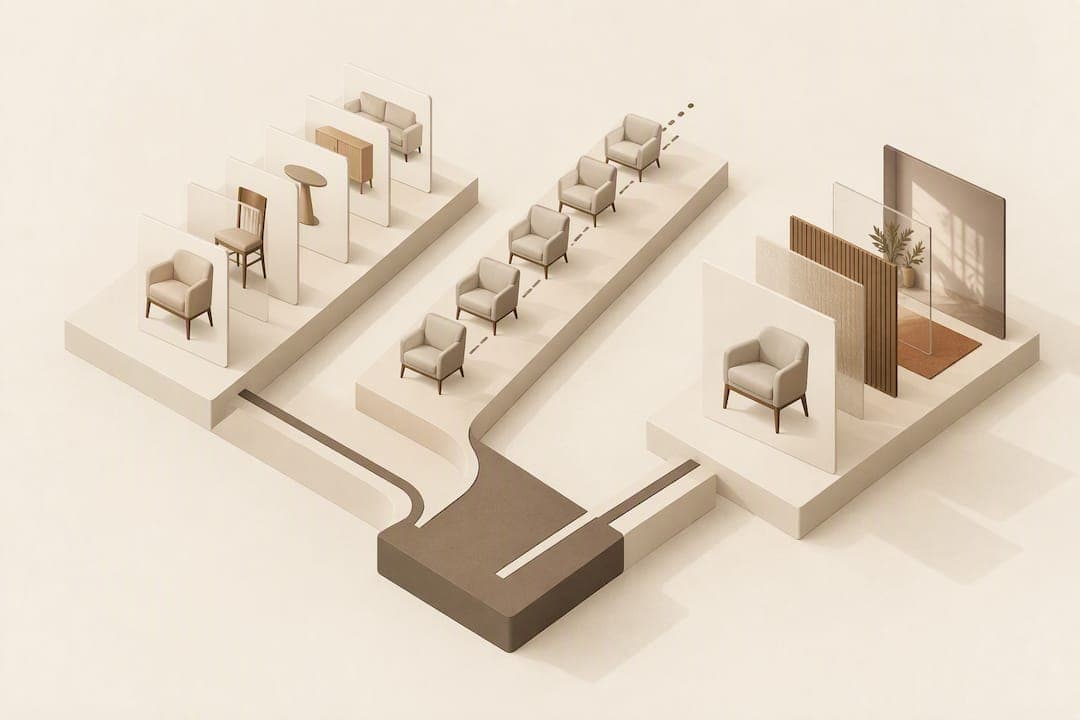
Most furniture retailers pay between £80 and £400 for a single white-background render, £300 to £1,200 for a lifestyle scene, and £500 upwards for a 360° spin, while photo-compositing tools bill per preview rather than per asset. Catalogues above a few hundred SKUs generally do best on per-SKU or usage-based billing, while smaller ranges often suit a per-image or hybrid arrangement. Whichever route you lean towards, run a small pilot before signing a full contract.
TL;DR:
- Simple white-background renders are affordable for basic furniture pieces, but complex materials or finishes significantly increase costs.
- Subscription or per-SKU billing models work best for large catalogues, while small ranges benefit from per-image or hybrid pricing to avoid unexpected expenses.
- Photo-compositing tools like AI Furniture's offer a cost-efficient, usage-based alternative that requires no 3D modeling and suits preview needs.
- Careful pilot testing, clear scope definitions, and understanding revision policies can prevent procurement pitfalls and hidden fees.
- Using a hybrid approach—combining photography, 3D, and compositing—can optimize costs and flexibility for mid-sized retailers.
Table of Contents
- Pricing breakdown: what you should expect to pay
- Which pricing model should you choose: per-image, per-SKU, subscription or usage
- Line-item cost drivers: what you are actually paying for
- 3D visualisation vs photography: cost, time and where each wins
- Worked budgets: small, mid and enterprise retailer examples
- Turn costs into a business case: simple ROI and procurement brief
- How AI Furniture's approach maps to these price patterns
- Author perspective and procurement pitfalls
- How to trial AI Furniture: demo, pricing page and next steps
- Sources
- FAQ
Pricing breakdown: what you should expect to pay
Deliverable type drives price more than any other factor, so it helps to separate the request into categories before asking vendors for quotes.
A white-background product render typically sits at the low end of the market. Simple furniture with flat finishes costs less, while pieces with tufted upholstery, glass, or metal detailing push towards the higher band because they need more texture and lighting work. Lifestyle scene renders, where a sofa or table sits inside a styled room, cost more because they involve set design, prop sourcing, and lighting choices that a plain render skips entirely. This is the category where art direction time, not modelling time, tends to dominate the invoice.

360° spins and interactive viewlets add licensing and hosting considerations on top of the base modelling cost, since the deliverable is a small interactive file rather than a flat image. Configurators and real-time or AR-ready assets carry the highest setup costs of any category, because they require clean, low-poly geometry and physically based rendering materials that behave correctly under different lighting and finish combinations. These only pay off once you have enough SKU variants or finish options to justify the upfront build.
Photo-compositing sits apart from the rest. Rather than building a 3D asset at all, this method takes a shopper's uploaded room photo and superimposes the retailer's existing product image into it, billed per preview rather than per render. It typically lands well below full 3D configurator costs and below the day rate of a traditional photoshoot, because there is no modelling stage to fund.
- White-background render: entry-level for simple pieces, higher for complex materials or finishes.
- Lifestyle scene: costs more due to styling, props, and lighting direction.
- 360° spin or viewlet: mid-to-high pricing plus ongoing hosting or licensing.
- Configurator or AR asset: highest setup cost, justified by finish variety.
- Photo-compositing preview: priced per preview, sitting below full 3D and photography costs.
Which pricing model should you choose: per-image, per-SKU, subscription or usage
The billing model you choose matters as much as the unit price, because it determines how costs behave as your catalogue grows.
- Per-image charges a flat fee for each rendered asset, which suits small catalogues with infrequent updates but becomes expensive fast once you add variants.
- Per-SKU bundles a set of standard deliverables (hero shot, a few angles, maybe a lifestyle scene) into one price per product, giving predictable budgeting for mid-sized ranges.
- Subscription or retainer covers a fixed volume of work each month for a flat fee, rewarding retailers who refresh imagery constantly.
- Per-preview or usage-based billing charges only for what shoppers actually trigger, which suits compositing tools and catalogues where demand is uneven across SKUs.
- Hybrid models mix a small retainer for core assets with usage-based billing for overflow, often the best fit for retailers scaling past their first few hundred SKUs.
Small catalogues rarely justify a subscription, since the fixed cost outweighs the number of assets produced. Large catalogues benefit from per-SKU or subscription pricing because it smooths spend across hundreds of products rather than triggering repeated one-off invoices. Usage-based billing is fairest when traffic per product is unpredictable, since you only pay for previews shoppers actually generate rather than for a full render nobody looks at.
Consider a retailer choosing between a subscription and per-image pricing for 200 products needing one hero image each: if per-image pricing costs more per unit than the subscription's effective per-asset rate once volume passes a certain threshold, the subscription becomes cheaper beyond that break-even point.
Pro Tip: Ask any vendor to show their effective per-asset cost at your specific volume, not just their headline plan price.
Line-item cost drivers: what you are actually paying for
Every visualisation quote breaks down into a handful of cost components, and knowing them lets you negotiate on the ones that are actually flexible.
- Modelling and CAD conversion: turning a technical drawing or sample into a 3D mesh is the single biggest driver for anything beyond a flat render.
- Material and texture fidelity: photorealistic fabric, wood grain, or leather needs either detailed hand-texturing or photogrammetry scanning of the physical material, which adds cost but improves accuracy.
- Scene styling and art direction: lifestyle scenes require someone to choose props, lighting, and composition, and this labour often costs more than the render itself.
- File prep, formats, and integrations: assets built for e-commerce platforms, AR viewers, or configurators need specific export formats and physically based rendering (PBR) material setups; workflows built around the OpenUSD open standard make assets more portable across tools and suppliers, which can reduce long-term rebuild costs.
- Revisions and quality assurance: most quotes include a limited number of revision rounds, and extra rounds beyond that scope are billed separately.
- Hosting and licensing: interactive assets like spins or configurators often carry an ongoing hosting or licence fee rather than a one-time charge.
Animation work, such as an opening drawer or a reclining mechanism in motion, adds noticeably to budgets because it multiplies the number of frames or states that need modelling and rendering. If your catalogue does not need motion, cutting it from the brief is one of the simplest ways to control cost.
3D visualisation vs photography: cost, time and where each wins
Traditional photography carries costs that scale directly with SKU count: studio time, a photographer, styling, and a new shoot every time a finish or colourway changes. For a catalogue that refreshes finishes seasonally, that recurring cost adds up quickly compared with a one-time 3D asset that can be re-skinned with new materials.
3D and photo-compositing approaches reduce this repeat cost because a single base asset or product photo can generate new variants without a new shoot. This matters most for retailers with frequent seasonal colour updates or a high ratio of finish variants to base product designs.
Time to launch differs too. A physical photoshoot depends on sample availability, a booked studio, and a stylist's schedule, which can delay a launch by weeks. Digital assets can often be produced in parallel with manufacturing, since they only need a CAD file or sample photo rather than a finished physical unit.
- Photography still wins for hero marketing shots where a single perfect image matters more than scale.
- 3D wins when a product ships in many finishes or configurations that would otherwise need separate shoots.
- Compositing wins when the goal is showing an existing product convincingly in a shopper's own space rather than producing new marketing imagery.
- A mixed approach, photography for flagship pieces and 3D or compositing for variants, is common among mid-sized retailers.
Worked budgets: small, mid and enterprise retailer examples
These illustrative examples show how catalogue size should steer your pricing model choice. Figures are for planning purposes only, based on the price bands and models described above.
- Small retailer, around 50 SKUs: a per-image or small per-SKU package for hero renders plus a handful of lifestyle scenes is usually enough, since volume is too low to justify a subscription or heavy 3D investment; say each of 50 products needs one hero render and a fifth need a lifestyle scene, the annual spend stays modest and predictable.
- Mid-size retailer, around 500 SKUs: a hybrid model works well here, with a retainer covering hero renders across the core range and usage-based or per-SKU pricing for finish variants and configurator options, since a fully custom 3D build for every SKU becomes hard to justify at this scale.
- Enterprise retailer, 5,000+ SKUs: subscription or per-SKU billing becomes the only practical option, since unit-based quoting at this volume creates unpredictable, sprawling invoices; enterprise contracts typically bundle a finish library and a set number of revisions into the base price rather than billing each separately.
Whatever the scale, budget separately for setup fees, any finish library the vendor builds once and reuses across SKUs, and a realistic allowance for revisions beyond the first round, since these are the line items most likely to be underestimated in an initial quote.
Turn costs into a business case: simple ROI and procurement brief
A simple ROI model makes the investment easier to justify internally: take your expected conversion lift, multiply it by average order value, then multiply by monthly traffic to the affected product pages to estimate incremental monthly revenue, and compare that against the monthly visualisation spend.
During a pilot, track a small set of KPIs rather than everything at once.
- View-to-add rate: whether shoppers who view the visual are more likely to add the product to their basket.
- Conversion lift: the change in purchase rate on pages carrying the new visual versus a control group.
- Returns change: whether fit or style-related returns fall once shoppers can preview the product more realistically.
When issuing an RFP, ask every vendor the same set of questions: what deliverables are included per SKU, what the revision policy covers before extra fees apply, whether you receive source files or only rendered outputs, and how licensing works if you want to reuse assets across marketing channels beyond the product page.
Pro Tip: Run a four to six week pilot on a representative slice of your catalogue before committing to a full-range contract, so you catch revision and licensing gaps early.
How AI Furniture's approach maps to these price patterns
AI Furniture Solutions takes the photo-compositing route described above: shoppers upload a photo of their own room, and the retailer's product is superimposed into it within seconds, with no app download and no 3D model required. New retailers can test the approach with 500 free previews before any billing starts, and the widget integrates with Shopify, Magento, BigCommerce, WooCommerce, and custom storefronts.
Because billing is metered per preview rather than charged per rendered asset, this model suits retailers who want to avoid the upfront modelling spend covered in the cost-driver breakdown above, while still giving shoppers a realistic sense of fit and scale.
- No 3D modelling stage, since the tool reuses existing product photography.
- 500 free previews included for retailers trialling the service.
- Billing tied to actual preview usage rather than a flat asset fee.
- Works across major e-commerce platforms with minimal setup.
Author perspective and procurement pitfalls
If your catalogue sits under a few hundred SKUs, a per-image or small hybrid package is usually the sensible starting point. Past that, per-SKU or subscription pricing protects you from spend creeping up invisibly.
Three pitfalls come up repeatedly in procurement conversations: revision fees that only appear once you exceed an unstated round limit, deliverable formats that turn out not to work with your existing platform or configurator, and skipping pilot metrics entirely in favour of a gut decision. Every one of these is avoidable with a short, structured pilot and a written scope before the full contract is signed.
— Michael
How to trial AI Furniture: demo, pricing page and next steps
Testing a new visualisation approach does not need a long contract or a rebuild of your product photography. This tool offers a free preview trial, integrates with major e-commerce platforms, and bills per preview after the trial period, keeping upfront costs low while you evaluate its impact on your catalogue.
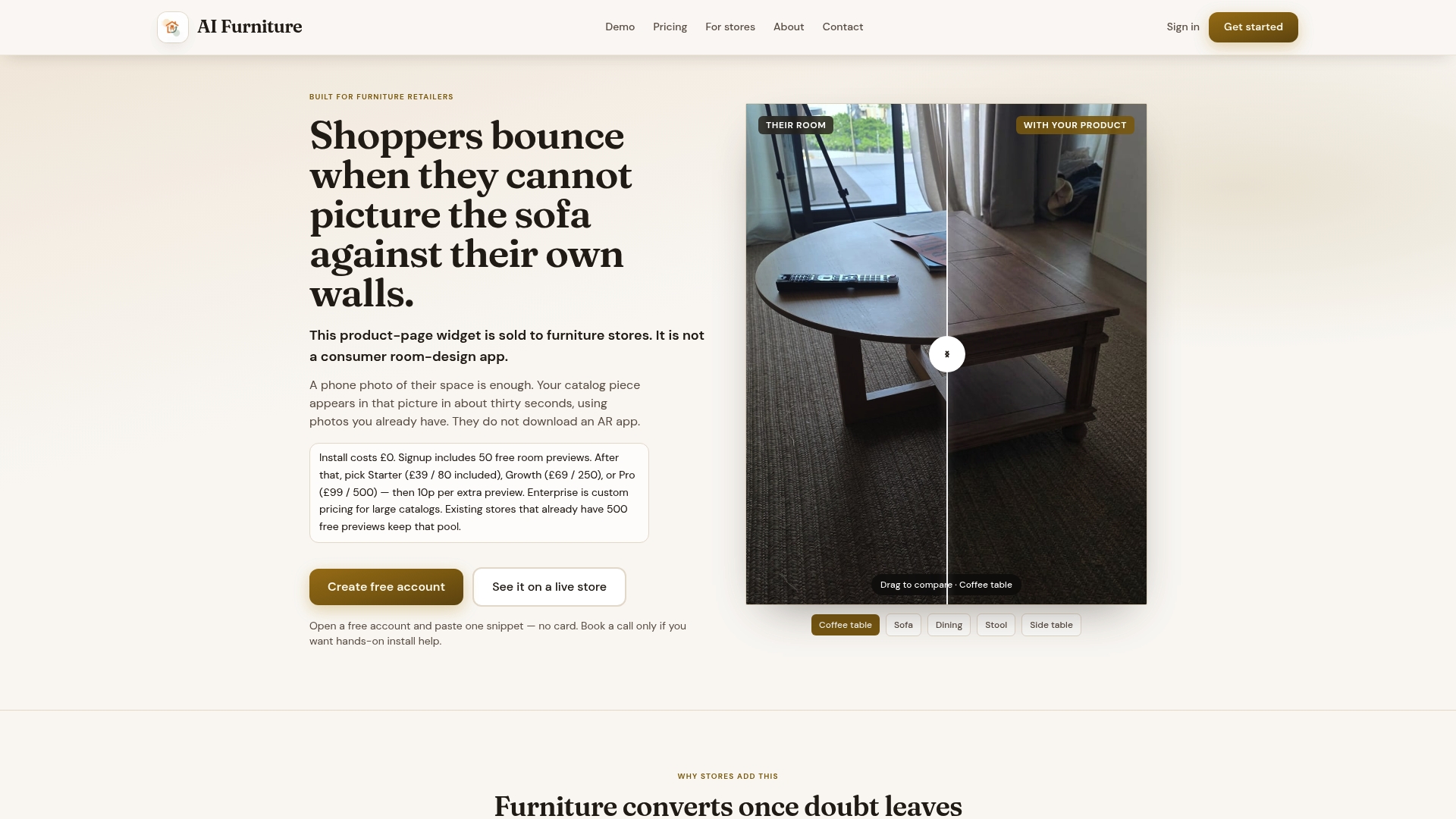
- Review plan tiers and per-preview rates on the pricing page.
- Run the widget against your own product URL to see it working on live listings.
- Bring your procurement team a short bake-off brief before comparing this against a full 3D or photography quote.
Book a launch call to walk through setup and pacing for your catalogue size.
Sources
The OpenUSD specification underpins many modern asset pipelines and is worth reviewing if portability across vendors matters to you. Ecommerce data-visualisation practice explains how to turn interaction signals into measurable merchandising gains, and a broader look at virtual fitting and visualisation technology offers a useful cross-category comparison for configurator and interaction tracking decisions.
- OpenUSD releases and specifications
FAQ
How much should I charge for an interior design consultation?
This depends heavily on the designer's experience, location and scope of work, and rates vary too widely to state a single figure. Ask for quotes based on the specific scope of your project rather than a generic hourly rate.
Is there free software that can design furniture?
Several free or freemium CAD and 3D modelling tools exist for basic furniture design work, though they typically lack the rendering quality or e-commerce integrations of paid visualisation services. For product-page shopper tools specifically, AI Furniture Solutions offers 500 free previews to trial its photo-compositing widget before any billing starts.
What is a normal budget for interior design?
Interior design budgets vary enormously based on project scope, room count and location, so there is no single typical figure to quote. Get comparable quotes from a few designers based on your specific brief rather than budgeting against a generic average.
Is there a free way to design my own furniture online?
Several free online tools let you sketch or configure basic furniture designs, though most have limits on export quality or advanced features. These differ from shopper-facing tools like room-preview widgets, which show existing products in a photo of your space rather than helping you design a new piece from scratch.
How much does furniture visualisation typically cost per SKU?
Costs per SKU depend on deliverable type, ranging from a simple white-background render at the lower end to a full lifestyle scene or configurator-ready asset at the higher end. Photo-compositing tools bill per preview instead, which often works out cheaper per SKU for retailers with large or frequently updated catalogues.