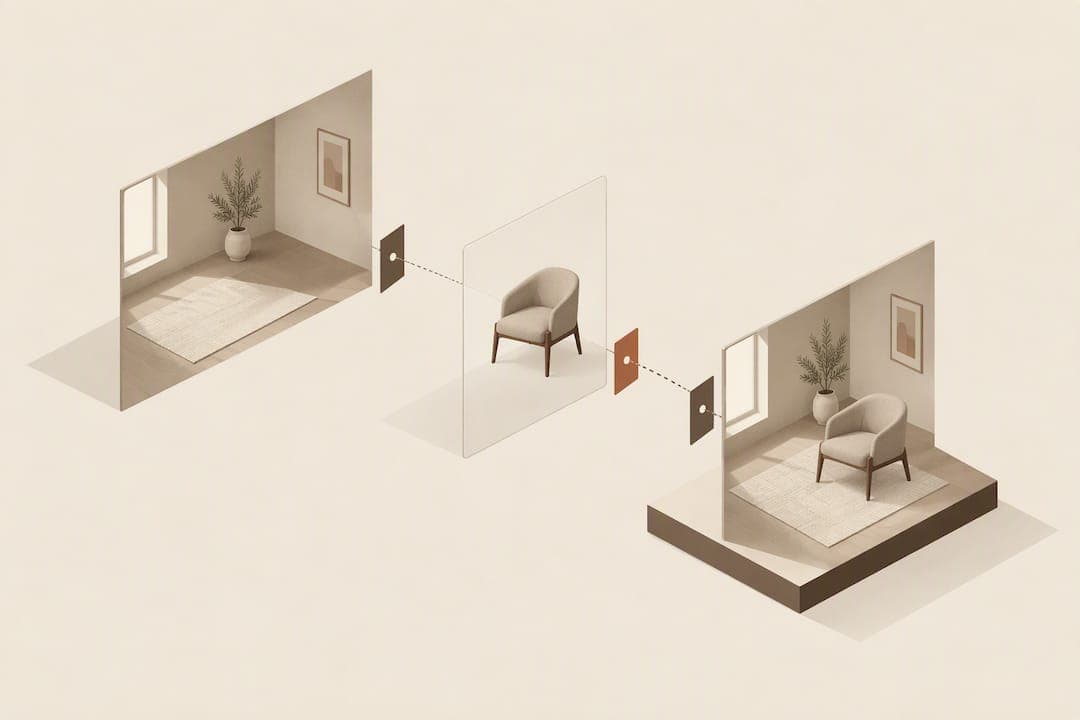
A no-app furniture visualiser gives you the fewest returns and the highest buyer confidence for the least engineering effort, because shoppers upload a room photo directly on the product page and see the item composited in, with no download and no 3D model. It works with the JPEGs you already have and drops into Shopify, WooCommerce, BigCommerce or a custom storefront without a lengthy build.
TL;DR:
- No-app furniture visualisers rely on photo compositing from existing product images, making setup simple and avoiding the need for 3D asset creation.
- User avoidance of AR "view in room" features means high-quality imagery and dimensions are more effective for reducing returns than immersive AR tools.
- A pilot should focus on a single product category with 500 free previews, measuring demand, conversion rates, and 90-day return rates before wider deployment.
- Key evaluation criteria include integration ease, preview realism, privacy policies, pricing models, and the ability to attribute usage to conversions and returns.
- For best results, run testing on problem categories with high return rates to quickly assess if the visualiser effectively lowers returns and boosts customer confidence.
Table of Contents
- What is a no-app visualiser and how does it differ from AR apps?
- Does furniture visualisation actually reduce returns?
- How do you evaluate a no-app furniture visualiser?
- How do you plan and launch a pilot?
- When does no-app visualisation make sense, and when doesn't it?
- See the widget on your own product pages
- Sources
- FAQ
What is a no-app visualiser and how does it differ from AR apps?
A no-app visualiser works by photo compositing rather than 3D rendering. The shopper uploads a photo of their room, the system detects scale and lighting, and it superimposes the product image onto that photo to produce a single composite result. There is no camera permission, no app store visit and no waiting for a 3D model of the sofa to load.
That is the main practical difference from AR apps, which need a native app or a WebAR session, a live camera feed and, usually, a 3D asset built specifically for that SKU. AR can feel impressive in a demo, but it adds friction that many shoppers skip past on a product page.
The integration pattern for a no-app widget usually looks like this:
- A single script tag added to the product page template, similar to a chat widget.
- Automatic detection of the product image already on the page, so no manual tagging per SKU.
- Platform support across Shopify, WooCommerce, BigCommerce and custom-built storefronts, so the rollout does not depend on a full replatform.
Because the output is a flat image rather than a live 3D scene, the processing load and the QA burden are both lower.
Does furniture visualisation actually reduce returns?
The evidence points the same way from two different angles: UX research says shoppers avoid clunky AR, and behavioural research says visualisation, done well, lowers return intent.
Baymard's UX testing on furniture and home decor found that many shoppers avoid AR "view in room" features altogether, and recommends prioritising high-quality product imagery and dimensions over standalone AR apps. Separately, quantitative UX research from Baymard found that written dimensions and dimension images are among the content types shoppers treat as essential for judging fit before buying.
On the outcome side, a 2026 communication study found that AR-based visualisation mediates the effectiveness of return policies and reduces return intent when it is integrated with product previews, using statistical mediation analysis rather than a simple before-and-after comparison. Separate industry write-ups on visualisation tools report that shoppers who use them tend to increase basket size and report higher satisfaction, particularly in hybrid journeys that mix visualisation with normal browsing.
Baymard's testing found that most shoppers avoid AR "view in room" tools, which is the core argument for prioritising imagery-based previews over app-based AR on the product page.
For a pilot, track three numbers:
- Preview usage rate: the share of product-page visitors who upload a photo.
- Conversion lift on previewed SKUs versus a matched set that did not get a preview.
- Return rate change over a 90-day window, since furniture returns often surface weeks after delivery.
How do you evaluate a no-app furniture visualiser?
Run any shortlist through the same checklist so comparisons are fair.
- Integration ease: does it drop in as one script with automatic product detection, or does every SKU need manual setup?
- Preview speed and realism: how long does a composite take to generate, and does it handle lighting and occlusion (a sofa arm in front of a rug) convincingly?
- Privacy and retention: what happens to a customer's uploaded room photo, how long is it stored, and does the policy hold up under GDPR or an equivalent regime in your market?
- Pricing model and trial: is billing tied to actual previews used, and is there a free quota, such as 500 previews, to test before paying?
- Content requirements: what minimum product images, angles and dimension metadata does the tool need to work well?
- Measurement and reporting: can it attribute a preview to a click, an add-to-cart and, eventually, a return, or does it only report raw usage counts?
Pro tip: Ask any vendor for a live bake-off on one of your own product URLs before signing anything, not just a canned demo.
The friction points that most often sink a rollout are ordinary: missing scale images, a slow compositing pipeline, or an upload button that is not obvious on the page. Fixing those three tend to move preview uptake and downstream KPIs more than switching vendors.

How do you plan and launch a pilot?
Before you switch anything on, gather the basics: current product images for the SKUs in the pilot, dimension fields on the product page, and a handful of sample room photos to use for internal QA.
Design the pilot narrowly rather than sitewide:
- Pick one representative category, such as sofas or beds, rather than the whole catalogue.
- Use a free preview allowance, such as 500 previews, to get a first read on demand at no cost.
- Set a KPI window of 30 to 90 days so return-rate changes have time to surface.
- Test edge cases deliberately: dim rooms, cluttered backgrounds, oddly shaped furniture and photos taken at an angle.
Once the pilot data looks stable, A/B test the widget against a control group on the same SKUs, watch conversion and return metrics side by side, and use what you learn to fix product photography gaps before a wider launch.
When does no-app visualisation make sense, and when doesn't it?
I have watched retailers spend months building an AR configurator for a showroom feature that a handful of shoppers ever opened, while a simple photo-upload widget on the product page quietly cut returns within weeks. That contrast shapes my view: no-app visualisation is usually the faster path to a measurable result, especially for a team without spare engineering time or the budget for 3D asset production.
Where AR and full 3D still earn their place is different: physical showrooms with an in-store screen, or configurators where a shopper is choosing fabric, leg finish and arm style before ordering something made to order. In those cases, a hybrid approach, photo compositing for the product page and a 3D configurator for the customisation step, tends to serve the shopper better than picking one technology for everything.
— Michael
See the widget on your own product pages
Some providers build this kind of widget: shoppers upload a photo of their room, and within a short time the product is composited into that photo, using existing product images rather than 3D models built from scratch. Because it works from existing JPEGs, there is no lengthy asset production before you can test it.
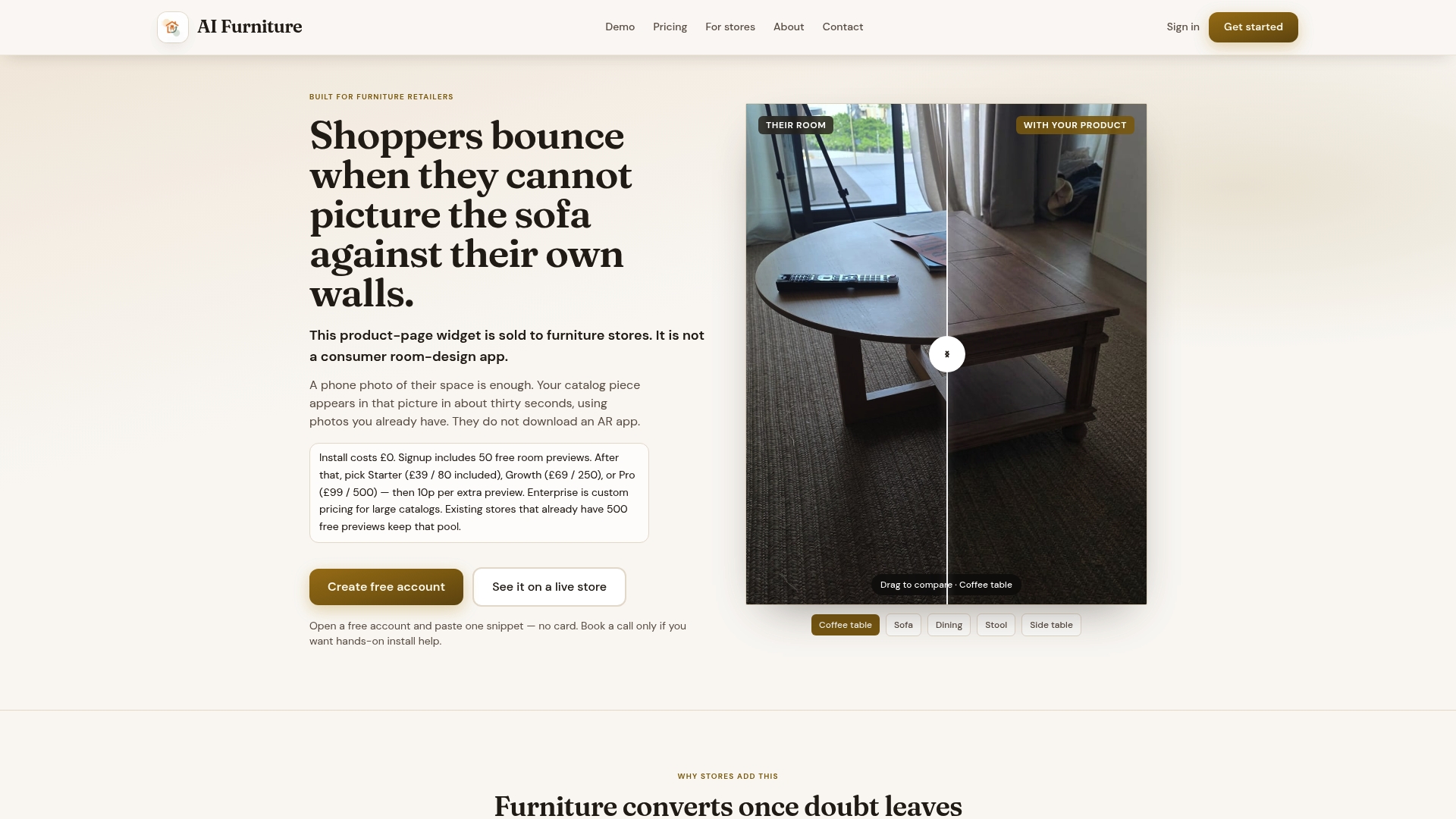
Try it before you commit to it. The Starter, Growth and Pro plans are billed by usage, and the service includes 500 free previews so you can measure preview uptake, conversion and returns on a real category before paying anything.
| Step | What happens |
|---|---|
| Pick a category | Choose one SKU group, such as sofas, for the pilot |
| Add the widget | One script on the product page, no per-SKU 3D build |
| Use the free previews | 500 free previews to test demand and realism |
| Measure | Track preview rate, conversion lift and 90-day return change |
Pro tip: Run the pilot on your worst-returning category first: that is where a visualiser has the most room to prove itself.
A retailer only needs to see fewer returns on one category to know whether this is worth rolling out further.
500 free previews let you test the AI Furniture Solutions widget against your own product photos before any spend, which is the cheapest way to answer the "does this work for us" question.
Book time to run a bake-off on your own product URL and see the composite quality on your actual catalogue.
Sources
- Furniture UX: deprioritise 'view in room' AR (Baymard)
- The role of AR in reducing returns and increasing online purchase confidence (Frontiers, 2026)
- 3D visualisation drives higher spend and increases customer satisfaction (industry blog, 2026)
FAQ
What is a no-app furniture visualiser?
It is a product-page widget that lets a shopper upload a photo of their own room and see a retailer's furniture composited into that photo, with no app download and no 3D model. It relies on the product photography a retailer already has rather than building a separate 3D asset for each SKU.
How is this different from an AR app?
An AR app needs a native install or a camera-based WebAR session and typically a 3D model of the product, while a no-app widget works from a single uploaded photo and a flat product image. Baymard's testing found that many shoppers avoid AR "view in room" features altogether, which is part of why the photo-based route tends to see more actual use.
Does adding a visualiser really cut returns?
Research suggests it can help: a study found that AR-based visualisation reduces return intent when paired with product previews, and separate industry analysis links visualisation tools to larger baskets and higher satisfaction. The safest way to know the effect on your own store is to run a pilot and measure your own 90-day return-rate change.
What does a no-app widget cost to try?
AI Furniture Solutions includes 500 free previews so a retailer can test the widget before paying, with paid usage afterwards billed through the Starter, Growth or Pro plans. Beyond the free allowance, extra previews are billed at 10p each.
What product content do I need before launching?
You need clear product images, ideally with a consistent angle, plus written dimensions and a dimension image, since Baymard's research found these are among the content types shoppers treat as essential for judging fit. A handful of sample room photos also helps your team QA lighting and occlusion issues before a wider rollout.