
Run a short pilot, expand traffic in stages, and watch both business and performance guardrails before going wide. The pilot should cover a limited set of SKUs, track return rate, purchase conversion and Core Web Vitals such as LCP and INP, and only widen once those numbers hold steady. A free trial with several hundred previews is enough to run a realistic pilot before any spend is committed.
TL;DR:
- Running a pilot with 10 to 50 SKUs for 14 to 21 days ensures reliable data before expanding, using free previews and monitoring guardrails.
- Optimizing product pages with high-quality static images and clear dimensions reduces reliance on AR, improving customer confidence and decreasing returns.
- Expanding rollout gradually in stages allows evaluation of purchase, return, and page performance metrics, with predefined thresholds for pausing or rolling back.
- Technical controls like lazy-loading, tag budgets, and SKU-specific templates are essential to prevent third-party scripts from degrading page load speed.
- AI Furniture Solutions offers a no-download, photo-based room preview with 500 free previews, easily integrated into existing storefronts to support incremental growth.
Table of Contents
- Get your product pages ready before you switch anything on
- Build a phased rollout: pilot, stages, full launch
- Set the metrics and guardrails that decide success
- Protect performance with the right technical controls
- Prepare your merchandising and support teams
- What actually surprises teams during a rollout like this
- Where AI Furniture Solutions fits in this plan
- Key research and tools to consult
- Sources
- FAQ
Get your product pages ready before you switch anything on
A room-preview widget only earns its place on a page that already does the basics well. Before enabling anything, check that shoppers can already judge scale and fit from your existing photography and copy.
Baymard's research on furniture product pages found that many shoppers avoid AR "view in room" tools altogether, and that prioritising high-quality static images and scale-accurate photos supports purchase decisions better than AR add-ons on their own. The same research group recommends always providing a dimensions image that maps each measurement to the relevant part of the product, since readable dimensions reduce abandonment and returns.
Work through this before launch:
- Add a dimensions image that labels height, width and depth against the actual product silhouette, legible on a mobile screen without zooming.
- Include at least one in-scale room vignette per hero SKU, and encourage customers to upload their own room photos in reviews.
- Record your current baseline: conversion rate, return rate, average order value (AOV) and page-load metrics, so you have something to compare against later.
- Convert product images to WebP with responsive srcset sizing, and confirm your CDN can absorb the extra requests a preview widget will add.
Pro Tip: Fix your dimensions imagery first. A widget layered on top of a page that already confuses shoppers about size will not fix the confusion, it will just add another script.
Build a phased rollout: pilot, stages, full launch
A phased plan keeps the risk small while you gather real evidence. Start narrow, watch the numbers, and only widen once each stage holds.
- Define the pilot. Choose 10 to 50 representative SKUs, or a single product category, and restrict the widget to one traffic segment or geography rather than the whole catalogue.
- Set the pilot window. Run it for a minimum duration that covers a full weekly traffic cycle to ensure representative data, and use a free preview allowance from a room-preview tool to cover the sample without paying for extra previews.
- Expand traffic in steps. A common pattern is 10% of traffic, then 30%, then 60%, then 100%, with a monitoring interval of several days between each step so problems show up before more shoppers are exposed.
- Set stop and rollback rules before you start. Decide in advance what triggers a pause, for example a fall in purchase conversion beyond an agreed threshold or a rise in return rate beyond another, and write down who has authority to pull the widget.
Each stage should clear the guardrails from the stage before it, not just show an improving trend.
Set the metrics and guardrails that decide success
Two families of metrics matter here, and neither is optional. Business metrics tell you whether the widget is actually helping shoppers buy; performance metrics tell you whether it is quietly costing you sales through a slower page.
- Track product page purchase conversion, return rate, AOV and preview-to-purchase conversion (the share of shoppers who use the widget and then buy).
- Track Largest Contentful Paint (LCP) and Interaction to Next Paint (INP) using both lab tools and real user monitoring (RUM), since field data reveals the true user impact that lab tests can miss.
- Where traffic allows, run a 50/50 A/B split rather than a simple before-and-after comparison, and hold the test for a full 14 to 21 days.
- Avoid checking results daily and calling a winner early: Shopify's own testing guidance recommends a single primary metric and a fixed minimum duration specifically to prevent false positives from early peeking.
Statistic callout: Core Web Vitals improvements correlate with better business metrics, which is why performance and conversion guardrails need to be watched together rather than treated as separate concerns.
Set your rollback thresholds as numbers, not impressions.

Protect performance with the right technical controls
The widget's business case depends entirely on it not slowing the page down. A few engineering patterns make the difference between a feature shoppers use and one that quietly drags down your Core Web Vitals.
- Defer or lazy-load the widget until after LCP fires, or trigger it on first interaction, rather than loading it in the critical rendering path.
- Set a tag budget for third-party scripts. PageVitals recommends keeping third-party JavaScript smaller than your first-party code and deferring anything non-critical to guard against regressions on mobile.
- Map a distinct widget ID to each SKU or use product-specific templates, rather than one dynamic instance shared across every variant, to avoid a preview rendering the wrong finish or size.
- Run RUM and synthetic tests after every rollout stage, with alerts set on Core Web Vitals regressions rather than relying on a one-off check at launch.
Pro Tip: Treat the widget's script like any other vendor tag: budget it, monitor it in production, and be ready to defer or remove it the moment RUM data shows a Core Web Vitals slip.
Platforms such as Shopify make this reasonably straightforward with native lazy-loading and template-level control, but the discipline matters more than the platform. A widget that works cleanly in staging can still behave differently once it meets real shoppers on real connections.

Prepare your merchandising and support teams
The rollout is not only a technical exercise. Merchandising and customer-facing teams need their own checklist so the change lands smoothly for shoppers and doesn't create extra support load.
- Merchandising should prepare dimensions images and demo-ready photography in advance, and flag which SKUs are tagged for the pilot so nothing launches half-finished.
- Support teams need short, ready-made scripts for preview questions and return explanations, plus a clear escalation path for anything the scripts don't cover.
- Write an incident playbook that names who can pause the widget, how the rollback is executed, and how customers are told if something needs to come down mid-rollout.
- Marketing can plan light campaigns, such as email or QR codes in-store, that point shoppers to the room-preview feature once the full rollout is confirmed stable.
What actually surprises teams during a rollout like this
Three things tend to catch teams off guard. First, the image baseline matters more than the widget itself: a page with weak dimensions photography undermines even a well-built preview tool. Third, performance problems kill adoption quietly, often before anyone notices a drop in conversion. Third, skipping a proper control group during testing makes it impossible to know whether a change in sales came from the widget or from something else entirely that week.
— Michael
Where AI Furniture Solutions fits in this plan
AI Furniture Solutions gives you a way to run this exact rollout without asking shoppers to download an app or waiting on 3D models. Shoppers upload a photo of their own room, and the retailer's product photo is composited into it in around 30 seconds, using the product images you already have rather than new 3D assets.
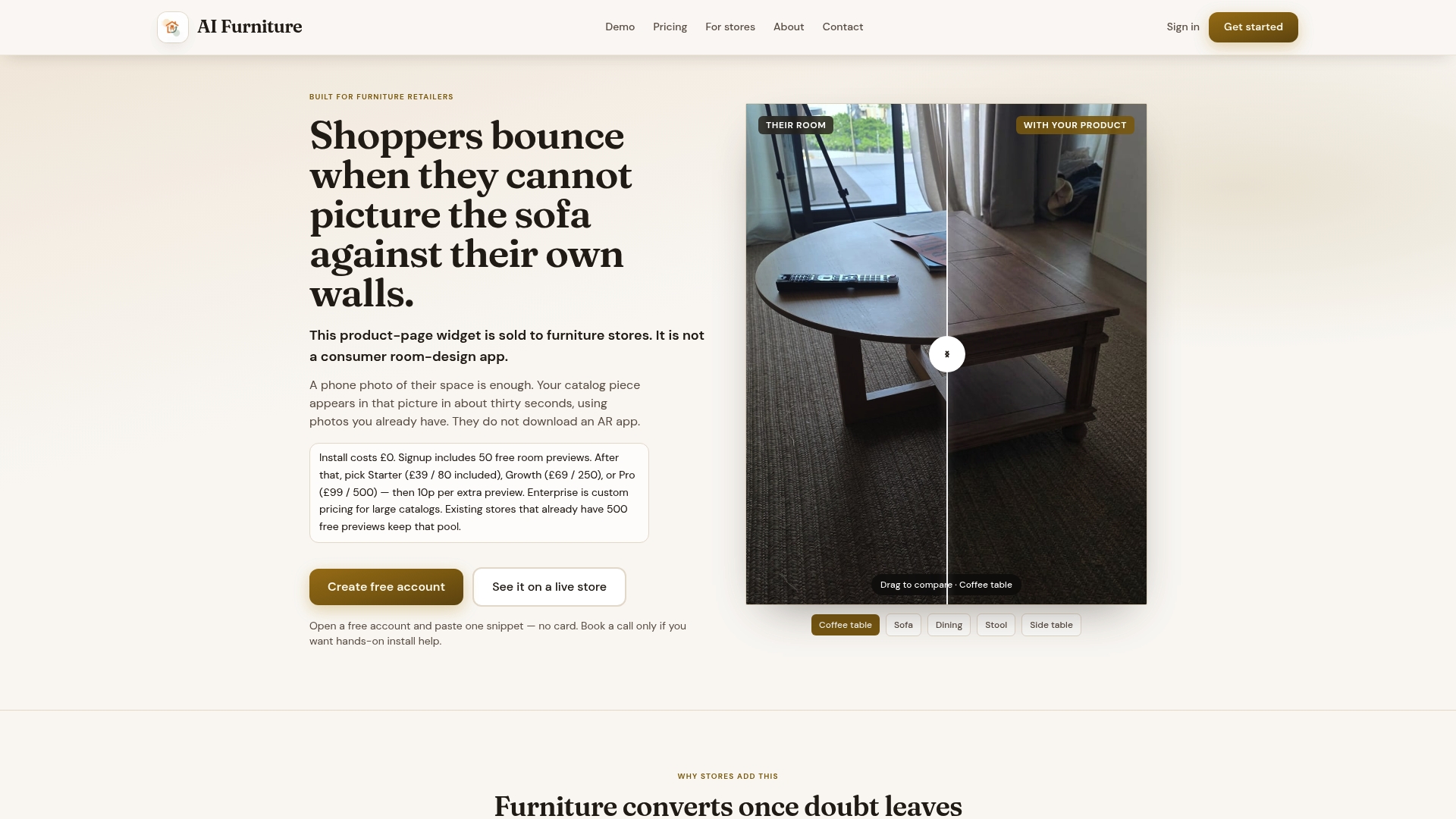
- The 500 free previews that come with a new account are enough to cover a full pilot at the 14 to 21 day window described above, without committing to a paid plan first.
- Such solutions typically integrate with Shopify and other major storefront platforms, so the technical controls covered earlier, lazy loading, tag budgets and per-SKU widget mapping, can sit on top of infrastructure most teams already run.
- Paid usage sits on the Starter, Growth and Pro plans, priced at $52.56, $92.99 and $133.42 per month respectively, with extra previews billed at 10p each once the free allowance is used.
A sensible next step is to pick one high-traffic SKU, run it through a bake-off on your own product URL, and watch the guardrails from this plan before deciding whether to widen the rollout.
Key research and tools to consult
- Baymard's dimensions image research and its view-in-room findings.
- PageVitals and Web for RUM and field monitoring, alongside general SEO and performance monitoring practice.
Sources
- Furniture UX: Deprioritize "View in Room" – Baymard
- Furniture UX: Always Provide a “Dimensions” Image – Baymard
- PageVitals
- Web
FAQ
How long should a widget pilot run before scaling up?
A pilot should run for 14 to 21 days, long enough to cover a full weekly traffic cycle and avoid drawing conclusions from an unusually quiet or busy few days. This window matches the minimum duration Shopify recommends for product-page A/B tests generally.
What metrics decide whether a rollout should continue?
The core guardrails are purchase conversion, return rate, AOV and Core Web Vitals scores such as LCP and INP, measured with real user monitoring rather than lab tests alone.
Do shoppers actually want AR room-preview tools?
Evidence is mixed: Baymard's testing found many furniture shoppers avoid AR view-in-room tools and respond better to high-quality static images and scale-accurate photography. A photo-based preview that skips the AR app download, like the one AI Furniture Solutions offers, sidesteps that friction rather than adding to it.
How much does AI Furniture Solutions cost to trial?
New accounts get 500 free room previews before any billing starts, which is enough to run a full pilot. After that, paid plans start at $52.56 per month on the Starter tier, rising to $92.99 for Growth and $133.42 for Pro, with extra previews billed at 10p each.
What causes a widget rollout to slow down page speed?
Unmanaged third-party scripts that load before the page's main content, rather than deferring until after LCP, are the usual cause. PageVitals recommends a tag budget and lazy loading for exactly this reason, alongside regular RUM checks after each rollout stage.