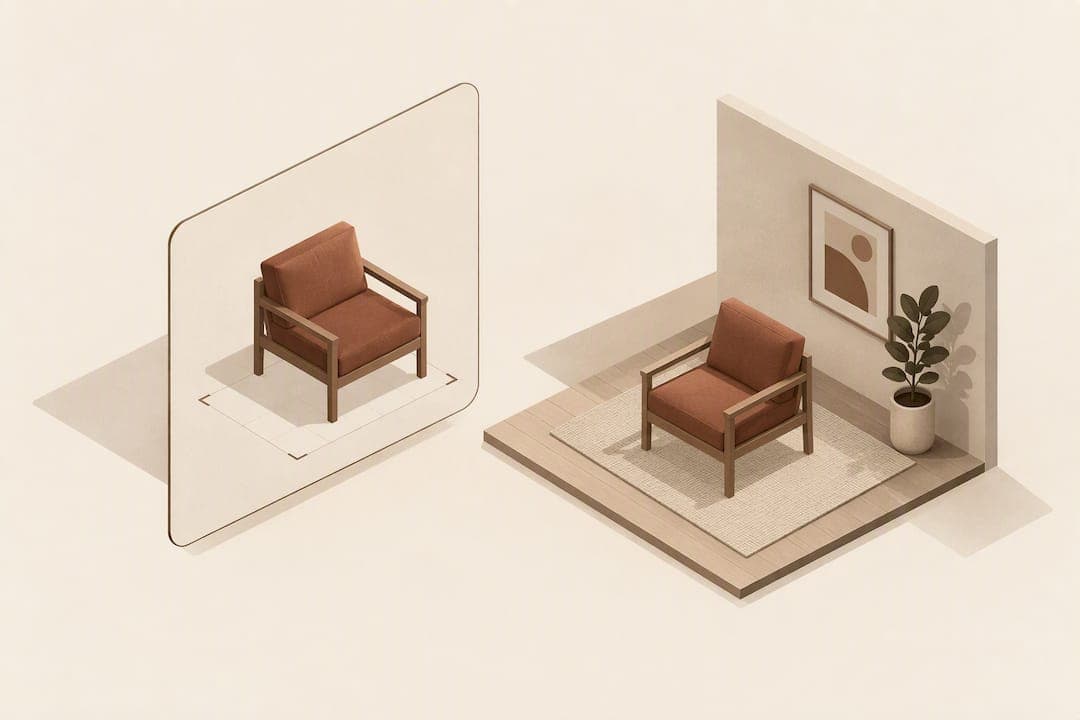
Choose a 3D viewer when you want a quick desktop look at a product from every angle, choose AR when you have a supported phone and need to check true scale in your own room, and choose photo compositing when you want the fastest, most accessible preview with no app and no 3D model required. Each solves a different part of the same problem: helping someone picture furniture before it arrives.
TL;DR:
- Native AR requires ARCore and Google Play Services on Android, ARKit on iOS, or WebXR over HTTPS; test the button on three devices before launch.
- Missing light estimation or incorrect scale can make furniture appear to float; use an environment map or light probe and verify scale manually before launch.
- Retailers managing thousands of products can avoid ongoing 3D asset work with photo compositing, which uses existing product photos and needs no app or model.
- An AuraMR furniture placement study sustained 78 FPS on Meta Quest 3 and kept interface latency below 100 milliseconds for a comfortable experience.
Table of Contents
- 3D viewer vs AR: the real technical and UX differences
- When to use a 3D viewer, AR or a photo preview
- What AR and 3D viewers actually require to work well
- Why many retailers are skipping AR for something simpler
- Try a no-app room preview on your product page
- FAQ
- Sources
3D viewer vs AR: the real technical and UX differences
A 3D viewer renders a model inside a fixed viewport. You rotate, zoom and inspect, but the object stays on screen, detached from your actual room. Augmented reality (AR) uses the device camera plus spatial tracking to anchor that same model onto the floor or wall in front of you, adjusting as you move. That single difference, a bounded viewport versus a camera-registered overlay, explains most of the gap in realism and friction between the two.
Lighting estimation is where AR either convinces or fails. AR development guidance from Google stresses that ARCore and ARKit need to interpret ambient light and shadows to make an object sit convincingly in a scene; without it, furniture looks pasted on rather than placed.
File formats matter too. Web viewers typically rely on glTF or glb, while iOS AR flows need a USDZ file served through an ios-src fallback. Legacy pipelines sometimes still use FBX or OBJ, formats that Microsoft's 3D Viewer supported before that tool was retired in 2026. The open-source model-viewer component bridges these formats for the web and can hand off to AR through three paths: WebXR inside the browser, Scene Viewer on Android, or Quick Look on iOS, as documented in the model-viewer AR examples.
Device and browser support add another layer of friction. WebXR needs HTTPS and explicit permission handling, Scene Viewer depends on Google Play Services for AR, and Quick Look is iOS-only. None of this is optional: a model-viewer AR button simply will not appear on unsupported hardware.
Comparing the two approaches side by side:
- User friction: a 3D viewer loads instantly in any browser; AR often needs a compatible device, sometimes an app, and a stable camera view.
- Realism: AR wins when lighting and scale are handled correctly; a 3D viewer never claims to show true fit.
- Device support: 3D viewers work everywhere; AR is gated by ARCore, ARKit or WebXR availability.
- Asset preparation: 3D viewers need a clean model; AR needs that model plus scale metadata and light-ready textures.
- Integration effort: embedding a viewer is straightforward; production AR requires testing across operating systems and fallback paths.
Pro Tip: If you are choosing between the two for a single product page, test the AR button on three devices before launch: AR support is inconsistent enough that one phone's success says nothing about another's.
When to use a 3D viewer, AR or a photo preview
Different shoppers and different retailers need different tools at different moments.
- Quick look at a product: a 3D viewer is enough when someone just wants to see a chair from the back or check a texture.
- Scale and fit testing: AR earns its complexity when a shopper has a supported phone and genuinely needs to confirm a sofa will clear a doorway.
- Low-friction room preview: photo compositing suits the shopper who wants a realistic look without installing anything or owning the right hardware.
- Catalogue browsing at scale: a 3D viewer embedded across hundreds of SKUs is cheap to maintain and consistent across devices.
- Post-purchase confidence: whichever method reduces uncertainty before checkout tends to matter most for returns, and that is usually the one with the least friction, not the most technically advanced.
For retailers, the decision often comes down to catalogue size, preview volume and whether a technical team can support ongoing AR asset maintenance. A retailer with thousands of SKUs and limited 3D modelling resources will struggle to keep AR assets current; a photo-based preview sidesteps that problem entirely because it works from the product photos already on the page.
What AR and 3D viewers actually require to work well
AR only performs as advertised when its prerequisites are met. Android relies on ARCore and Google Play Services for AR; iOS relies on ARKit; browser-based AR depends on WebXR, which itself requires HTTPS and, when embedded in an iframe, explicit xr-spatial-tracking permissions, as the model-viewer AR documentation sets out.
Assets need preparation beyond a clean mesh:
- Correct scale metadata so a model does not render too large or too small once placed.
- Light-ready textures, ideally with baked ambient occlusion and roughness maps, so the AR runtime can blend the object into real-world lighting.
- A polygon budget suited to the target device: standalone headsets often need models decimated well under 10,000 polygons to stay smooth, while mobile devices tolerate more but remain limited by memory and heat.
The most common failure is the "floating object" look, caused by missing light estimation or unverified scale. The fix is usually an environment map or light probe supplied alongside the model, plus a manual scale check before launch.
Performance matters more than most retailers expect. Research into mixed reality shopping systems, AuraMR, reported sustained frame rates of 78 FPS on a Meta Quest 3 and sub-100 millisecond UI latency as part of what it took to keep a furniture placement experience comfortable to use. Falling short of targets like these is often what separates an AR demo that impresses from one that feels sluggish and gets abandoned.
Why many retailers are skipping AR for something simpler

Having looked at what AR and 3D viewers demand in assets, devices and ongoing maintenance, it is hard to ignore how much of that cost falls on the retailer rather than the shopper. AR can be genuinely impressive, but it asks a lot: a supported phone, a well-lit room, a model prepared with scale and lighting data, and a team willing to keep that pipeline running as the catalogue grows.
A photo-compositing approach skips most of that. Shoppers upload a photo of their own room; no app download, no 3D model, no device gatekeeping. AI Furniture Solutions builds on this by working from the JPEGs retailers already have, offering 500 free previews so a retailer can test the approach before paying for anything further. For many merchants, that lower barrier to entry, not a more advanced render, is what actually moves a hesitant shopper towards checkout and away from a return.
— Michael
Try a no-app room preview on your product page
Running a photo-compositing preview on your own storefront removes the two biggest blockers to AR adoption: device compatibility and 3D asset production. Shoppers upload a photo of their room, we composite your product into it, and a realistic preview appears in around 30 seconds, no app, no AR-capable phone required.
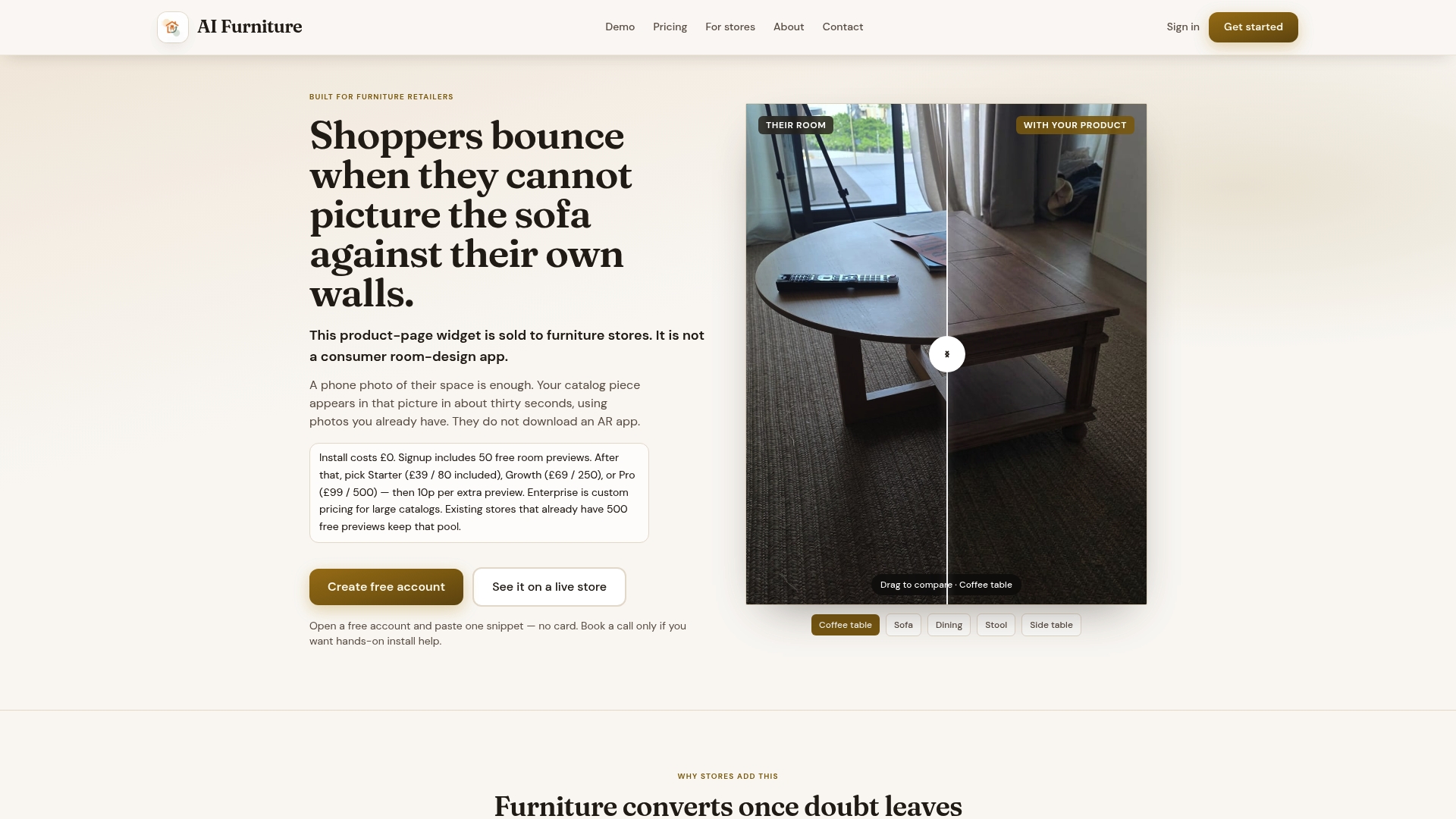
What the widget does, in practice:
- Turns a shopper's uploaded room photo into a composited preview with your product in place.
- Requires no app download and no 3D model, just the product photos you already have.
- Comes with 500 free previews so you can test it before committing to a paid plan.
- Integrates with Shopify, Magento, BigCommerce, WooCommerce and custom storefronts.
Plans start at $52.56 per month with Starter, rising to $92.99 for Growth and $133.42 for Pro, with Enterprise available for high-volume retailers. Extra previews beyond your plan cost 10p each, and there is no setup fee. See how it runs on your own catalogue with a merchant bake-off or go straight to pricing to pick a plan.
FAQ
What is the best 3D object viewer app for furniture?
There is no single "best" app; it depends on whether you need desktop model inspection, true-scale AR placement, or a low-friction room preview. Microsoft's 3D Viewer was a widely used desktop example supporting formats like FBX, 3MF, OBJ and STL before it was retired in 2026, while web tools built on model-viewer now cover similar ground in the browser.
Is 3D Viewer free?
Microsoft's 3D Viewer was a free tool bundled with Windows, supporting several standard 3D formats, but it has since been superseded, as noted in its release history. Many web-based 3D and AR tools, including model-viewer, are open source and free to implement, though hosting and asset preparation still carry a cost.
How do I use a 3D viewer for furniture shopping?
You typically load a product page that embeds a 3D viewer, then rotate, zoom and inspect the model directly in the browser. On supported devices, tools built with model-viewer add an AR button that switches from the fixed viewport to a camera-based placement view.
Does AR actually reduce furniture returns compared to a 3D viewer?
Research into mixed reality shopping systems suggests that realistic in-room previews can raise purchase confidence, with one study reporting a 91% first-time task completion rate in testing, according to the AuraMR paper. A 3D viewer alone does not place the item in your actual space, so it supports browsing confidence more than fit confidence.
Do I need a special phone for AR furniture previews?
Yes, native AR depends on ARCore for Android or ARKit for iOS, plus a browser that supports WebXR over HTTPS, as detailed in the model-viewer AR documentation. Shoppers without a compatible device cannot use native AR, which is why some retailers pair it with or replace it with a photo-based preview that works on any phone.
Sources
- Augmented reality with <model-viewer> | ARCore | Google for Developers
- <model-viewer> Augmented Reality
- AuraMR: Bridging E-Commerce and Mixed Reality for Immersive Furniture Shopping
- Microsoft 3D Viewer