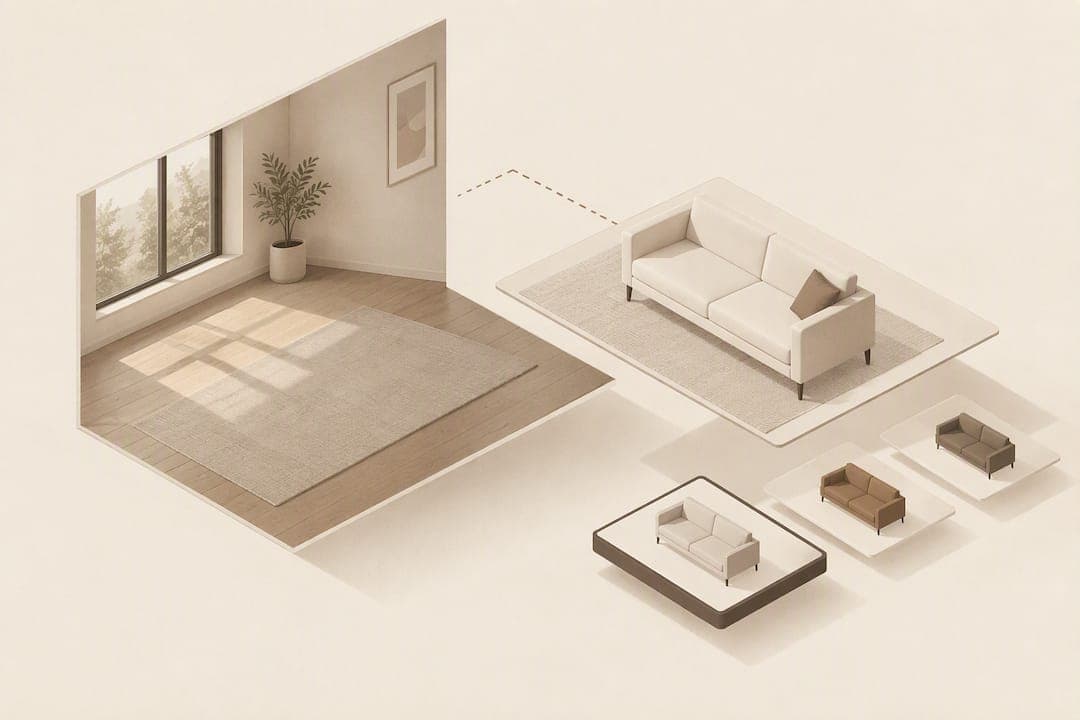
A page speed visualisation widget lets shoppers upload a photo of their room and see a piece of furniture composited into that photo in under 30 seconds, no app and no 3D models required; explore a Virtual Showroom Tour for examples of luxury lighting integrated similarly. For furniture retailers, the fastest way to see the effect on conversion and returns is to try it directly: you can test the method with a free preview offer before paying for anything.
TL;DR:
- Use a clean, well lit JPEG for each SKU, map dimensions, place the widget beside the main image, and set photo retention and consent rules.
- Pair a legible dimensions image and lifestyle photos with the preview, preserving those references for shoppers who choose not to upload a room photo.
- Randomize the A/B test by session or shopper, compare conversion and returns while controlling for product size, and wait for statistical significance before expanding.
- Test first on bulky, high traffic SKUs, where spatial fit uncertainty is greatest, and compare preview users with nonusers on the same products.
- The offer includes 500 free previews; Starter costs $52.56 monthly and Growth costs $92.99, while previews beyond plan quotas cost 10 pence each.
Table of Contents
- How photo compositing room previews work and why they suit furniture ecommerce
- Implementation checklist: step by step to add the widget to your product pages
- Product page UX and content best practices that make the room preview convert
- What to measure: KPIs, A/B test design and quick wins for proving ROI
- Why photo compositing changes the calculation for furniture retailers
- Try it: bake off the widget and start a free trial
- FAQ
- Sources
How photo compositing room previews work and why they suit furniture ecommerce
The workflow is simple on the surface and deliberately light underneath. A shopper uploads a photo of their room, the system reads the scene for scale and lighting, and the chosen product is composited into that photo within roughly 30 seconds. Nothing is downloaded, and no one has to rotate a 3D model or point a phone camera through an AR app.
This matters because furniture ecommerce has a well-documented fit problem. Research from the 3D Cloud Furniture Shopping Trends Study found that 62% of furniture shoppers say visualising how an item will look in their home is genuinely difficult, and shoppers who use visualisation tools report higher purchase confidence and tend to spend more once that uncertainty is resolved.
Photo compositing gets to that outcome without the asset overhead of 3D modelling. It works from the product JPEGs a retailer already has on file, so there is no need to commission a studio model or maintain a 3D catalogue. For teams weighing this against a heavier visualiser or a traditional photography and 3D workflow, the practical difference is time to launch: photo compositing can go live on existing images, while 3D and AR builds usually need new assets before they help a single shopper.

Implementation checklist: step by step to add the widget to your product pages
Adding a room preview to a product page is mostly a data and placement exercise rather than a development project. The steps below cover planning through a soft launch.
- Confirm platform fit. The widget integrates with Shopify, Magento, BigCommerce, WooCommerce and custom storefronts, so start by matching your platform to the available integration path.
- Audit your product images. Photo compositing needs a clean, well-lit JPEG per SKU; products with poor or inconsistent photography should be reshot before launch.
- Map SKUs and dimensions. Link each product's internal SKU to its listing so the preview and the surrounding dimensions content stay in sync.
- Place the widget snippet. Embed it near the main product image on the PDP, not buried below the fold or in a tab shoppers might skip.
- Set upload and privacy rules. Decide how long uploaded room photos are retained and surface a short consent notice before the upload starts.
- Choose processing settings. Server-side compositing keeps the load off the shopper's browser and avoids the heavier WebGL dependencies that 3D and AR tools often need.
- Set your preview quota and monitor usage. Use the admin dashboard to track consumption against your plan before the free previews run out.
- Run a soft launch. Test on a handful of high-traffic SKUs, QA the result on mobile, and brief customer service staff on how the feature works before a full rollout.
Pro Tip: Pilot the widget on your largest, bulkiest SKUs first. Spatial fit uncertainty is highest for large items, which makes the impact of a room preview easiest to prove.
Product page UX and content best practices that make the room preview convert
A room preview works best as part of a page built to answer fit questions, not as an isolated gadget. Shoppers triangulate between several content types before they trust what they see, and the preview is strongest when it sits alongside the rest.
- Keep a clear dimensions image near the preview, mapping measurements to the actual product rather than relying on a text-only spec list.
- Maintain lifestyle photography, in-scale shots and close-ups so shoppers can cross-check the composited preview against real reference images.
- Place the "view in your room" CTA next to the main product image, with a short line telling shoppers the upload takes under a minute and the result appears almost instantly.
- Offer a usable fallback: shoppers who skip the upload should still get the dimensions image and lifestyle shots needed to judge fit without the preview.
Written dimensions and a dedicated dimensions image are two of the most valued content types on furniture product pages. Baymard's quantitative furniture UX research found that a significant share of shoppers prioritise written dimensions and dimensions images, which means skipping either weakens the case the preview is trying to make. Separate Baymard guidance on dimensions images recommends making sure these images stay legible on mobile without zooming, since an unreadable dimensions image loses the confidence it is meant to build.
What to measure: KPIs, A/B test design and quick wins for proving ROI
Proving the widget earns its place on a PDP means tracking it against the same funnel you already measure, not inventing a parallel scoreboard.
- Preview usage rate: the share of PDP visitors who open and complete an upload.
- Add-to-cart conversion for preview users versus non-users on the same SKU.
- Purchase conversion and return rate, compared between shoppers who used the preview and those who did not, controlled for product size.
- Average order value and PDP session time, as secondary signals that fit confidence is translating into broader engagement.
- Repeat purchase rate, since reduced fit anxiety on one order can carry into the next.
Run this as a proper A/B test: randomise by session or user rather than by day, watch for drop-off at each funnel step, and wait for statistical significance before rolling the widget out across the full catalogue. Pulling the widget's admin dashboard data into the same report as site analytics and sales figures gives a single view of usage against revenue, rather than two disconnected spreadsheets. Research on spatial fit uncertainty from Pfaff and Spann's 2025 study found that visualisation tools have the biggest measurable effect on larger furniture items, which makes big-ticket SKUs the fastest place to see a clean result in testing.
Why photo compositing changes the calculation for furniture retailers

The received wisdom in furniture ecommerce has been that fit confidence requires 3D: a full catalogue of models, an AR app, and a development budget to match. That assumption has shaped a lot of roadmaps, and it has slowed a lot of launches, because building a 3D catalogue from scratch is a multi-month project before a single shopper sees any benefit.
What gets underestimated is how much of the fit problem a photo-based preview solves on its own, using assets retailers already have. The shopper does not care whether the furniture in their room photo came from a rendered model or a composited image; they care whether it looks right and whether the dimensions line up. Retailers who treat visualisation as an asset problem to be solved later often ship nothing for a year. Retailers who treat it as a content and placement problem, something to layer onto existing JPEGs and existing PDPs, tend to ship something shoppers can use within weeks.
— Michael
Try it: bake off the widget and start a free trial
Seeing the result on your own catalogue is faster than reading about it. Because the widget runs on your existing JPEGs rather than a 3D build, there is nothing to commission before you test it, and billing stays tied to what you actually use rather than a flat setup cost.
- Run the universal demo to see the compositing result without touching your store.
- Bake off the widget on one of your own product URLs to judge the result against your real photography.
- Use the 500 free previews to test on your storefront, then move to the Starter plan at $52.56 per month or the Growth plan at $92.99 per month once you are ready to scale.
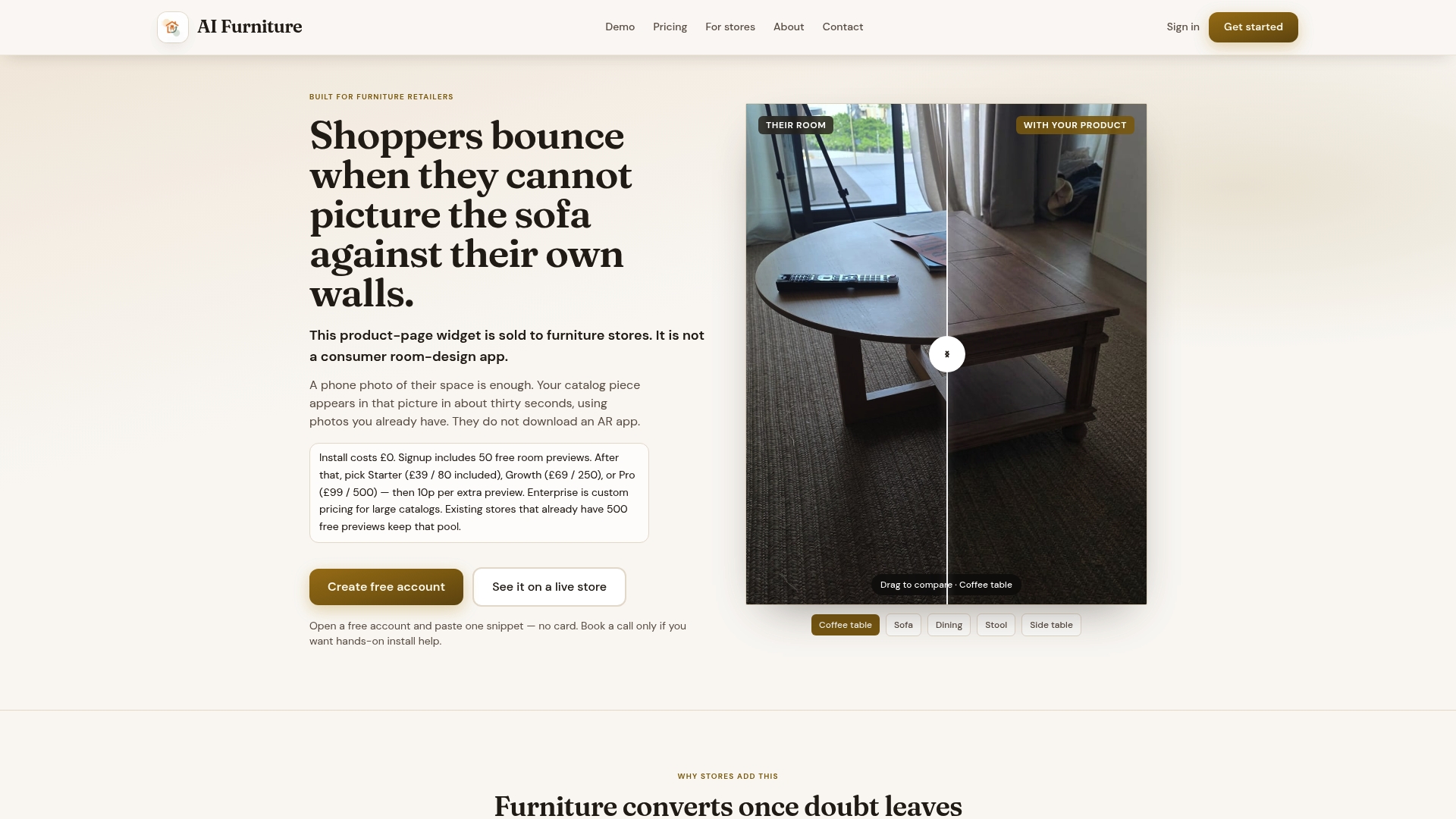
There is no 3D asset library to build and no app for shoppers to install, which keeps the setup lift low and the result visible almost immediately.
FAQ
What is a page speed visualisation widget for furniture retailers?
It is a product-page tool that lets a shopper upload a photo of their room and see a retailer's furniture composited into that photo, typically within about 30 seconds, without installing an app or viewing a 3D model. The method relies on photo compositing rather than 3D rendering, which keeps the asset requirements close to what most retailers already have on file.
How is photo compositing different from AR or 3D furniture viewers?
AR and 3D viewers usually require a dedicated 3D model of each product and often a dedicated app or in-browser 3D engine, while photo compositing works from existing product JPEGs and a shopper's own uploaded photo. This keeps the technical footprint lighter and the setup faster, since there is no 3D catalogue to build before launch.
Does a room preview actually reduce furniture returns?
Fit uncertainty is a documented driver of furniture purchase hesitation, with 62% of shoppers reporting difficulty visualising how an item will look at home. Letting shoppers preview the item in their own room before buying directly addresses that uncertainty, which is why retailers track return rate alongside conversion when testing the feature.
What does it cost to add this to a furniture store?
Plans start with a Starter tier at $52.56 per month, a Growth tier at $92.99 per month and a Pro tier at $133.42 per month, with Enterprise pricing available on request. Extra previews beyond a plan's quota are billed at 10p per preview, and there is no setup fee.
Which ecommerce platforms support this kind of widget?
The widget integrates with Shopify, Magento, BigCommerce, WooCommerce and custom storefronts, so most furniture retailers can add it without rebuilding their existing store. Retailers using Shopify can review the dedicated Shopify integration for platform-specific setup details.
Sources
- 3D Cloud Furniture Shopping Trends Study — 3D visualization drives higher spend and increases customer satisfaction
- Furniture & home decor quantitative UX insights (Baymard) — 2026
- Augmented reality and spatial fit uncertainty in online retailing — Pfaff & Spann, JRCS 2025